Download Wowdee.
Wowdee is in alpha: a free World of Warcraft: Forever add-on that puts your characters, to-dos, gold, quests and dungeons in one window.
Also available on CurseForge (opens in a new tab).
Early builds, update news and a say in what comes next: join our Discord (opens in a new tab).
On a phone or tablet? Wowdee runs on your computer. Join our Discord now and hear about every new build until you’re back at it.
Join Discord (opens in a new tab)- Web app: Coming soon
- App Store: Coming soon
- Google Play: Coming soon
How to install
Choose Download Wowdee. Wowdee.zip goes to your Downloads.
In Downloads, right-click Wowdee.zip (it may show as Wowdee, with a zipper on its icon), choose Extract All, then Extract. A window opens with the Wowdee folder inside.
In the Battle.net app, open World of Warcraft: Forever, click the cog next to Play and choose Show in Explorer. Open the game’s folder (_classic_beta_ in the beta), then Interface, then AddOns. If there’s no Interface or AddOns folder, create it.
Drag that Wowdee folder, the one with Wowdee.toc inside, into AddOns.
Start World of Warcraft: Forever, or restart it. On the character screen, open Menu, then AddOns, and check that Wowdee is ticked.
Click the Wowdee button by the minimap or type /wowdee. The first time you log in, the Wowdee Handbook opens: a page for each feature, with its switch.
Updates work the same way: replace the Wowdee folder in AddOns with the new one.
Stuck on a step? Ask in #questions on our Discord (opens in a new tab) and we’ll help you get it running.
Prefer an installer?
Wowdee Setup puts Wowdee in your game’s AddOns folder for you.
What’s new
Every update to the add-on, newest first. Our Discord (opens in a new tab) hears about each one first.
Alpha 0.34.19
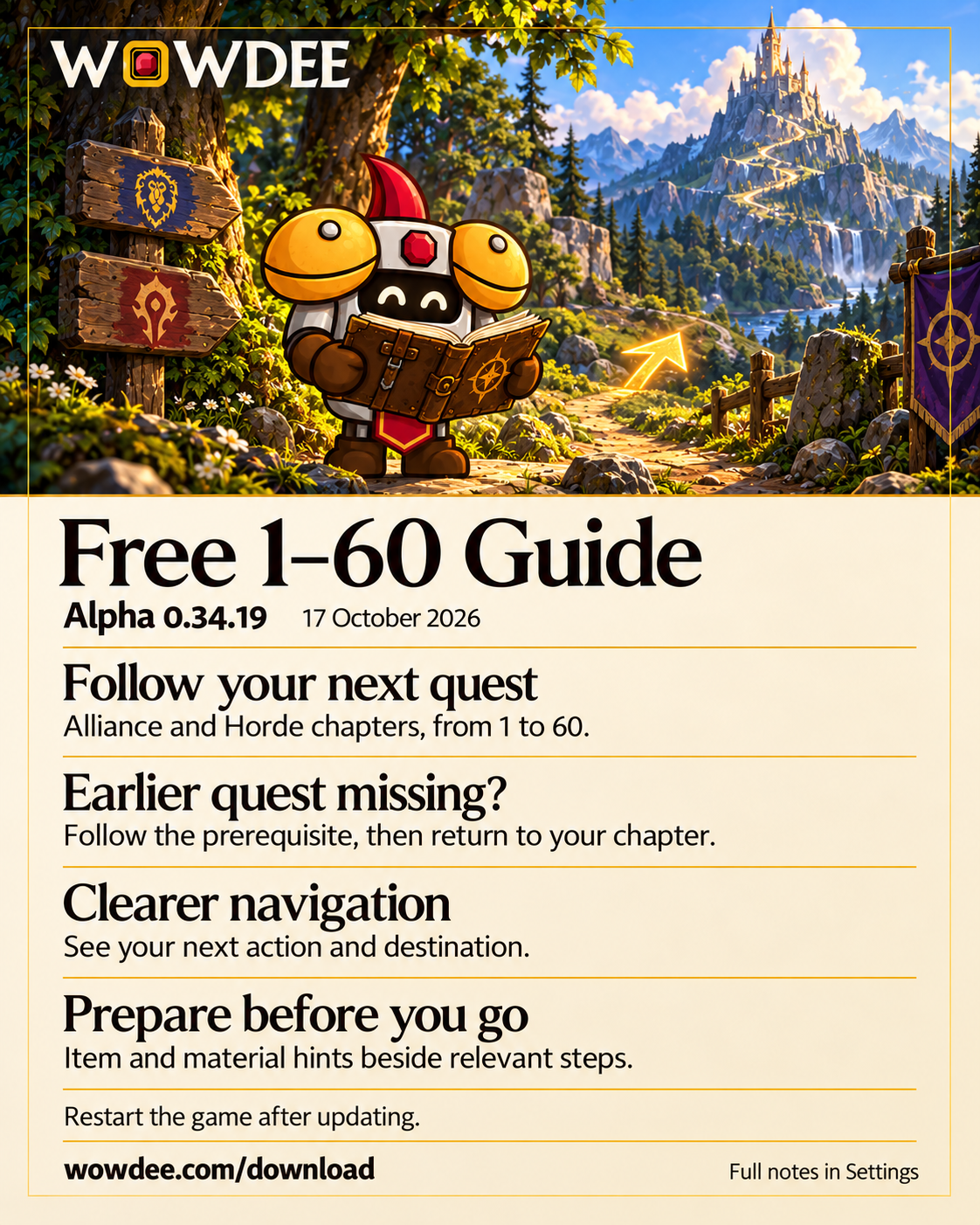
Improved
- Quest preparation: guide steps identify supplied quest items and known required materials, with named gathering places where available. Check the item's tooltip and full quest description for its exact interaction.
- Clearer opening coverage: chapters that follow accepted quests now explain that limitation in the chapter picker and beside the current step.
Fixed
- Following a missing prerequisite restores its excluded or skipped guide steps so the detour can show the work you still need to do. Unrelated exclusions, skipped stops and real quest progress stay intact.
- Pickup directions remain visible while you travel to a quest giver before accepting the quest.
- Quests ready to hand in no longer show an instruction to finish their objectives first.
Alpha 0.34.18
Improved
- Clearer directions: the compass separates your current action from its quest or destination. Longer goals have more room, and hovering reveals the full instructions.
- Smoother turning: the arrow turns smoothly as you move and face a new direction.
- Useful arrival context: when the guide moves to another goal at the same place, its new instructions stay visible without a turning arrow. Arriving does not complete a quest or preparation for you.
- Honest travel estimates: estimated time appears while you move, using your current speed and direct distance. Stopping no longer reuses an old riding or running speed.
- Directions without a precise point: guide steps retain their action, known region and useful explanation when exact coordinates are unavailable.
Fixed
- A temporarily missing quest waypoint no longer makes the guide switch away from the accepted quest it is following.
- Invalid or unavailable map coordinates no longer produce a misleading direction. Direction and distance remain separate when the game cannot provide your facing.
Alpha 0.34.17
New
- Ordered 1–60 chapters: follow faction and race starting paths through linked regional chapters, with quest pickups, objectives, hand-ins and level checkpoints.
- Quest recovery: leave a quest out of the guide and restore it later. Follow a missing earlier quest in its own chapter, then return to your route. These controls keep your quest log unchanged.
- Choose optional work: add a side quest or preparation stop when you want it. Group, dungeon, escort, reputation and uncertain acquisition tasks explain why they are optional.
- Guide progress: confirm manual preparations, undo a confirmation, skip a stop or restore it. Browse upcoming stops with quest and destination names without moving the guide arrow.
Improved
- Automatic chapter selection considers your level and location, and remembers a chapter you choose or continue to. Back restores your previous route choice without rewinding quest progress. Carrying an old delivery quest no longer pulls you back to its starting chapter.
- Routes finish nearby hand-ins before leaving their hub, keep remote pickups and hand-ins at their real destinations, and carry suitable deliveries to later planned visits. Optional trips and Silithus side chapters stay separate from the main route.
- Parent quests stay active while their linked tasks are completed. Available follow-up quests are collected before leaving their hub, and level gates leave eligible starter work available first.
- Choosing an optional side chapter starts its eligible activities. Explicitly added quests show the guide’s recommended level separately from the game’s requirements. Linked tasks and their travel steps stay together, and completed child tasks no longer keep the guide stuck while their parent still has other work.
- Quests started by an item keep their map context without placing a quest-giver pin at a possible drop location.
- Training, shopping, flight connections and home-point preparation appear at nearby service providers, without repeating the same service around a hub. Training links open your own class, and shopping links open your shopping list.
- The Quest Journal groups researched quests into their actual zones, with faction-specific details and supported neutral-quest locations. Directions prefer your own observations and only reuse compatible characters’ locations.
- Profession-restricted quests respect your character’s known profession and skill rank in the Quest Journal, map pickups and recorded routes. Quests you have already accepted remain available to follow.
- Quest pickup suggestions wait while a quest in your log temporarily blocks them. Incomplete saved quest logs keep those offers unconfirmed until a fresh capture.
- Collapsed quest-log headings no longer hide accepted quests from Wowdee. Temporary read failures preserve last-recorded quests, while unconfirmed offers stay unknown.
- Chakuyak’s minimum-level check now uses level 4, with pickup availability still confirmed by the game.
- Moonbrook Espionage now displays quest level 15, matching its difficulty check in the Quest Journal.
- Previous objective locations without a recorded character stay saved, but need fresh quest progress before they can supply directions again.
- Level checkpoints show when more experience is needed. Quests with unconfirmed pickup requirements are followed after you accept them. The guide uses live quest destinations where available; unavailable map points stay unmarked. Chapter controls are available in all supported interface languages.
Alpha 0.34.16
New
- Dungeon loot browser: search across bosses and dungeons, filter by slot or usable class, and combine several required stats. Pending item details stay visible; unavailable details are identified. Open the exact boss or add an item to your wishlist from its row.
- Account inventory: search recorded bags, bank tabs and equipped items by character, category or storage. Stack locations, capture age, unknown binding and incomplete banks remain visible.
- Saved waypoints: keep named sets, preview pasted coordinates before saving, edit individual stops and choose a stop for your arrow. Imports preserve supplied coordinates and flag changed map layouts. Deleting a set or point requires confirmation.
- Named talent plans: create, copy, rename and select independent plans for your current class. Existing points are preserved, and deleting a plan requires confirmation.
- XP controls and level times: adjust the bar's width, height, text and summaries, lock its position or reset its layout. Completed level records use measured played time; older estimates do not become speed records.
- Whisper history: optionally retain accepted whispers locally for this character, up to seven days, thirty conversations and forty messages each. Capture starts only when enabled. Read or delete messages without sending anything; hidden or unconfirmed messages are skipped.
- Observed auction undercuts: retain passive commodity comparisons from auction views you open. A lower price is shown only when your exact listing and a different seller can be established. Observations expire; an unassessed listing never means it is competitive.
- New quest badges: four confirmed quest identities can display a New in Forever badge in the journal. Other quests remain unclassified.
Improved
- 1–60 Guide: open your leveling tools directly from the sidebar. The retired event page and signup prompts are gone; old shortcuts now open the guide. Guild leveling history remains available under Leveling progress.
- Guide reading: choose an automatic, built-in or recorded route; see the current goal, objective progress and next goal together. Browse ahead and resume without changing your arrow or skipping a quest. Each route shows its available coverage; the built-in catalogue still covers early leveling regions.
- Alchemy preparation: the trainer directory covers Horde Journeyman Alchemy. A skill 50–80 material forecast accounts for rank training and shared stock, with explicit recipe acquisition checks. Recipe trainer offers are unconfirmed; repeated saves reuse the same material goal.
- Reward planning: browse five Alliance Alchemy recipes with profession, currency and vendor details, and choose one for your wishlist. Required reputation standing is unconfirmed, so the view does not claim that a recipe is purchasable or invent a remaining reputation gap.
- Minimap tray: an optional movable tray can hold Wowdee's own button. Support for other buttons is not established. Turning it off restores the original placement when those settings still belong to Wowdee.
- Settings presets translate correctly after changing language and require confirmation before deletion. Loot filters keep selected stats visible and support several choices without reopening the menu.
Fixed
- Settings, Shopping and Tonight remain usable after an update when new optional tools have not loaded yet. Unavailable sections stay out of navigation until their modules are available.
- Dungeon details load correctly while out of combat with the game journal closed.
- Loot stat filters include melee, ranged and spell hit or critical ratings, ranged attack power and spell damage. General spell power also matches healing.
- Saved goal entries and town stops ask for confirmation before removal. Published trainer locations are labelled separately from verified or personally recorded locations.
- Shared material accounting scans each character's bag stock once per projection and preserves reservations across goals.
- Bag markers clear stale presentation after item movement even when saved records are read-only.
- Whisper and auction views update as new observations arrive or expire. An open whisper stays readable until its stored message expires or is deleted.
Alpha 0.34.15
New
- Nearby highlights: Settings now offers quest sparkles and original gold markers for nearby herbs, ore and active quest objects. Choose a steady effect, size and brightness. Reach, unavailable and unknown states have distinct symbols. Turning a feature off restores the game settings it changed when those settings still belong to Wowdee.
- Materials with a purpose: nearby gathering markers can explain which possible material is still needed by Shopping or an active goal. The goals-only filter uses known object identities; unknown materials stay unknown.
- Saved goals: Shopping now keeps named item and crafting goals. Change quantities, pause or archive a goal, inspect its materials and planned crafts, and reuse it later. Current bags and recorded stock are shown separately, with shared stock reserved once across active goals and the shopping list. Exact recipes expand their prerequisites; uncertain recipes remain unavailable for exact planning.
- Dungeon preparation: Tonight now brings wanted drops, dungeon quests and known prerequisites, restock needs and entrance information together. Add a preparation task to your checklist and reopen its details with View.
- Town errands: save, rename and reorder stops, use saved map notes or recorded trainer locations, and add stops to Tonight. Training needs show observed costs and unknown costs separately. A compass can point towards a chosen stop; travel and training remain your own actions.
- Settings presets: save your setup or start with Quiet adventuring, Gathering or Preparation. Select categories, preview every change and apply it. Panel positions stay in place by default. Undo restores the last preset change when those settings have not been edited since.
Improved
- Shopping and crafting goals distinguish reserved items in current bags from stock recorded elsewhere. Material planning reuses surplus from fixed-yield recipes instead of counting the same planned output twice.
- More can find saved goals, dungeon preparation and town errands. Its Settings shortcut also leads to highlights and presets.
- New controls use Wowdee's established theme and translated text in all supported languages. Optional nearby effects start off.
Fixed
- Bag highlights: moving or splitting an item clears its old quest or upgrade marker immediately. Unchanged slots keep their marks, and the destination refreshes when the bag has settled.
Alpha 0.34.14
Highlights
- Loot history: your recent personal loot, plus the dungeon rolls and personal roll statistics the game provides.
- Quest helpers: more dungeon quest completion checks, pickup arrows, NPC hints and colour-coded known pickup pins.
- Level-up details: stat changes and unlearned spell and weapon-skill icons on your celebration.
0.34.14 — New
Fully restart WoW after updating to load the new tools.
- Personal loot: open More → Loot history or
/wowdee lootto review the last 500 loot receipts for a character, including item links, stack quantities and recorded locations. Recording begins with this update. Filter by date, dungeon and item quality, then choose Copy summary to select a plain-text record of the visible receipts. Missing quality stays unknown until item details arrive. - Dungeon rolls: the same page shows the roll history retained by your current game client, with choices, numbers and winners when provided. Hover an item to inspect its rolls; hold Shift and scroll through longer roll lists. The view is limited to 200 retained items and 40 rolls per item; your roll count, average and wins use those retained records. Searching filters the item list. This is read-only; older history and raid reserves are not included.
- Quest-giver hints: turn on Known quest pickups to see matching known quests and their recorded levels when hovering an NPC outside combat. Coverage is partial, and a known pickup does not confirm that a quest is available.
- Level-up details: your celebration can show the game's reported stat gains, with old and new values when reliable snapshots match. Hover unlearned ability and weapon-skill icons for details, or choose All spells. Collection waits until combat ends; missing training information stays unavailable. Use Level-up details in Settings to keep the compact banner, or
/wowdee dingto preview current stats. - Manual waypoints:
/wowdee way 45 62 Camppoints your arrow to those percent coordinates on your current map. Use/wowdee way map:1436 45 62 Campfor an explicit map./wayis also available when that command name is free. This is a compass bearing, not automatic movement or a route around obstacles. - Corpse arrow:
/wowdee corpsepoints to the game's corpse position on your current map. An explicit map can be supplied as/wowdee corpse map:1436. No position is guessed when the game cannot provide one; resurrection clears only the corpse arrow. - Sound previews: open More → Sounds or
/wowdee soundsto search the game's named sound kits. Select a row and click Play. Stop and closing the page stop only your preview. This list does not include every sound file, voice line or music track.
0.34.14 — Improved
- Saved map notes: left-click a note pin to point your compass towards it. Alt-click the map and choose Save & Track to save a point and follow it immediately. Right-click still removes a note.
- Map coordinates: player and cursor coordinates appear on the map while it is open. Toggle Map coordinates in the Wowdee map menu. Unavailable positions stay unknown, and coordinate updates pause during combat or controller use.
- Level-up controls: choose Auto, 5, 8, 12, 20 or 30 seconds for your celebration in Settings. Auto keeps 8 seconds for the compact banner and 20 with details. Reset position restores its default screen position. Guild announcements retain their own duration.
- World map: dungeon quest pickup pins are purple; other known pickups are gold, or grey when every quest on that pin has a known level that is too low for you. Hovering a known pickup also shows its recorded quest level. The game's own accepted-quest pins keep their usual behaviour.
- The Runed Scroll: the Barrens Quest Journal now includes this item-start quest. Its details identify the starter item. No pickup point or automatic availability is assumed; completion follows its exact quest identity.
- Guild recipe search: a small spelling mistake can now find a matching recipe in the game's observed recipe list. Short words and item links keep exact matching; selecting a result uses its original recipe identity.
0.34.14 — Fixed
- Dungeon quests: more quests, including Ragefire Chasm quests, can recognise hand-ins from before Wowdee was installed. Confirmed quest alternatives also apply to alt lists and completed map pins. Active quest variants stay separate from earlier completions.
- Quest details loading: quest checks catch up when missing details arrive. Loading text and unmatched quest names cannot mark another quest completed.
- Dungeon quest facts: corrected quest identities, minimum levels and faction requirements, including Blackfathom Deeps and Gnomeregan. Completing a same-title lead-in no longer completes its later dungeon step. Known pickup hints and the Quest Journal keep actual quest levels separate from required levels; the journal respects known minimum levels. Unconfirmed identities still wait for the game to verify them.
- Dungeon quest pickups: more quest givers have a known location for Show on map and Show arrow in Dungeons → Quests. Recording a verified quest giver no longer depends on opening the Dungeon Journal first. Known pickup pins also initialize quest identities independently and catch up when titles load.
- Quest Journal: with a quest open, Follow quests follows that quest's giver or next step. If its location is missing, it no longer switches to another quest. Open details follow updated quest identities and statuses. Accepted chain steps with the same title as a later dungeon quest remain visible.
- World map: the Wowdee map menu can be closed during a fight. Opening it during combat now explains when it will be available. An open menu waits until combat ends to rescan changed maps. Pin tooltips keep their page during refreshes of the same quest cluster and clear when the pin changes.
- Saved map notes: Alt-click selects the point on the map you clicked before native map navigation. Dragging the map no longer opens a note.
- Character window: upgrade lines stay steady while a replacement ranking loads, and expire when their ranking becomes stale. Changing your other weapon, ring or trinket clears advice that no longer fits your equipment.
- Gear finder: changing class, profile, equipment or leveling weights clears outdated results while replacements load. Late updates cannot bring back expired auction prices or items from expired mail. Unknown unique-item restrictions wait for the game's details and recover when they arrive. Comparisons include every equipped slot that can affect those restrictions.
- Spells: learned spellbook names and ranks help prevent repeated training reminders. Missing rank text cannot hide an unlearned higher-rank offer, and a shared translated name cannot prove another spell family learned. Unidentified training entries keep training coverage uncertain. The celebration's All spells button opens your current class. Spell lists refresh when translated names arrive; historical trainer observations require a matching character identity.
- Quest pickups: current repeatable pickup offers can appear again after a previous hand-in; accepted quests stay hidden from pickup hints.
- Native window shortcuts: map controls, Gear Finder and the spellbook shortcut follow mouse/controller changes immediately and restore safely after combat.
- Session recap: reloading preserves earlier totals together with quests, levels, XP and loot recorded while the session initializes, including a rapid second reload.
- Personal loot: malformed stack quantities cannot become single-item receipts. Copied summaries remove named item colours and reopen at their beginning. Hovered item details stay open during routine refreshes of the same receipt; filtering, removing or replacing that receipt clears them.
Alpha 0.34.13
Highlights
- Item links: Shift-click gear, dungeon loot and wishlist items to place their link in your active chat draft.
- Bargains: open a separate scrollable window for current deals, without leaving your main Wowdee page.
- Druid gear: choose separate Cat and Bear profiles for damage or survival recommendations.
0.34.13 — New
- Shift-click item links: Gear finder rows and Best items preserve their full links, including random variants. Dungeon loot and Wishlist items use the item link available from the game. With no active chat draft, an available Wowdee item-entry box can receive the link. Normal clicks keep their existing actions.
- Separate bargain window: choose Show bargains on a deal notification or in Alerts, or type
/wowdee bargains. Browse all retained current deals, inspect item tooltips and right-click a deal to hide it. The window opens when you ask; buying remains your action in the auction house.
- Druid gear profiles: choose Feral Cat or Feral Bear in Settings → Spec for upgrade tips, or in the Gear finder’s View as selector. Cat favours damage; Bear gives more weight to survival. Each keeps its own custom weights and gear filters. Auto and existing Feral Combat settings keep their previous behaviour. These are Wowdee’s adjustable estimates.
0.34.13 — Improved
- World map: smaller Wowdee and Follow quests buttons leave more room for the map, with quieter resting colours. Their menus and actions stay available.
0.34.13 — Fixed
- Gear finder: recommendations stay stable as item details become available, instead of silently changing on every refresh. Equal-value items and their listed locations keep a stable order, including when filters hide the current results.
- Gear changes: switching profiles, changing custom weights or restoring defaults updates bag and quest-reward highlights. Changes made in combat repaint after the fight.
- Mailbox records: closing your mailbox quickly keeps its last captured attachments. Unpaid cash-on-delivery parcels remain visible in Mailbox without counting as materials you already own.
- Auction prices: auctions without a buyout no longer become free buyout quotes.
- To-do panel: timed reminders continue updating while the main Wowdee window is closed.
- Search and player names: lowercase accented and Cyrillic queries match capitalized names. Typed nemesis names and player notes recognize native names while preserving saved facts and ambiguous identities. Searches also match item names inside links in Tonight goals and Notes without changing saved links.
- Equipment labels: the cloak slot uses its own translation rather than the navigation Back label, including Dos in French.
- Materials and Craft: failed item-name loads settle to item numbers, delayed material classifications recover, and Craft redraws avoid repeated requests for the same missing item.
- Daily gold: graph dates and weekly changes follow calendar days through clock changes.
- Journal appearance: reused section headings keep the correct Light or Dark surface.
- Gathering: nearest nodes use the map's real proportions, and gold-per-hour includes the number of items in each gathered stack.
- Quest arrows: nearby destinations use the map's real proportions while keeping your tracked quest and hand-in priorities. Learned objective areas on your map take precedence over visit counts elsewhere.
- Saved services: nearby bank, mailbox and auction-house arrows compare actual distances. Visiting a shared service with another faction preserves both visits, with one map pin for identical recorded locations.
- PvP history: routine sightings and old-name migrations reuse saved name lookups, avoiding long pauses with larger histories.
- Bug-report details: automatic details remove your character names across case variants, punctuation and colour formatting before shortening long diagnostics. What you write in the report stays as you wrote it.
- Item tooltips: regular list refreshes keep the hovered item’s tooltip current. Removed deals and closed windows clear their own tooltips.
0.34.12 — Fixed
- Guild level-ups: popups no longer add a ten-second wait after an update. They react to current guild-member updates and take priority over routine notifications, so Say grats is ready sooner.
- Professions and guild crafters: opening your own profession refreshes its saved details. When the game does not share guildmates’ professions, your current character can appear in Crafters even when its earlier saved guild information was incomplete. Other saved characters still need to match your current guild.
- Quest Journal: a quest you have handed in is marked completed even when the game still returns an older quest-log entry. For quests recorded from your log, different steps with the same title keep their own completion status. Reaccepted repeatable quests keep their active or ready status.
- Auction scan panel: use the X to hide it for your current visit to the auction house. Scans and price lookups continue, and the panel returns on your next visit. To keep it hidden across visits and reloads, turn off Auction scan panel in Settings → Auction house.
0.34.11 — Improved
- Restock reminders: right-click a restock reminder on the To-do page to stop it until you stock up on that item again.
- Wowdee Handbook: new pages for restock reminders and full bags, the dungeon quest tracker and buff reminder, the XP bar and the flight timer. The pages it already had now also explain what was added since, and its switches include known quest pickups and Library hand-in locations.
0.34.11 — Fixed
- Auction house scans: full scans kept stopping as interrupted and saved no prices. Scans now finish and save, and their prices show on item tooltips again.
- A scan that fails now says it failed instead of interrupted. When a scan fails or its auction list changes,
/wowdee statussays why. - Price look-ups: opening a buy or sell page while a price was being looked up could pause every look-up until you opened the auction house again. Look-ups now carry on once you're back on the browse list.
- Auction prices: a price Wowdee looks up for gear and similar items is now dropped once a newer full scan no longer lists that item. Bargain popups come once per item per visit, and again only if the item gets cheaper.
- Guild crafters: when the game doesn't share guildmates' professions, Guild → Crafters now lists the professions Wowdee has seen on your own characters in the guild, instead of saying the information is unavailable.
0.34.10 — New
- Follow quests from the world map: a Follow quests button sits next to Wowdee's button in the world map's bottom-left corner. One click and the arrow leads you from quest to quest; while an arrow shows, the same button reads Hide arrow.
- Arrow key: a new optional shortcut, Follow quests, turns your quest arrow on, or hides whichever arrow is showing. It works in a fight too. Assign it in Settings → Key bindings → Edit bindings, under Wowdee.
- Spells from your spellbook: a Wowdee Spells button under the game's spellbook opens Wowdee's Spells page with the spells your class can learn.
0.34.10 — Improved
- The quest arrow points the way to a spot in another zone on the same continent, with the distance and the zone's name, instead of only naming the zone. This works from inside a city such as Orgrimmar too, both to the zone around it and to the next zone. On another continent the arrow still names the zone.
- Quest spots the game marks on the zone around your city are now used by the arrow.
0.34.10 — Fixed
- After the arrow hides because you reached its spot, it comes back once you walk about 30 yards away. It could stay hidden until your quest changed.
- An arrow you dragged to a place that is no longer on your screen, for example after changing the screen size or UI scale, returns to its starting place.
- Bug reports from the game say what the arrow was showing, for example a direction, only a zone name, or that it was hidden because you had arrived.
0.34.9 — New
- What’s new: after an update, a small window shows the main changes once for your account. It waits until you have entered the world, finished the welcome Handbook and left combat. New players see the Handbook first.
- Full changelog: choose Read full changelog, open Settings → Changelog, or type
/wowdee changelogto read the combined changes from 0.34.6, 0.34.7 and 0.34.8, together with this update. The notes stay available to read again. Release notes are in English.
0.34.8 — New
- Key bindings: open Settings → Key bindings, or type
/wowdee bindings, to see both shortcut slots for Wowdee and your current map, quest, character, bag and guild keys. Choose Edit bindings to open the game's Key Bindings settings, then expand Wowdee to assign or clear shortcuts. Choose account or character bindings there. - Assign shortcuts for the Wowdee window, Characters, Quest Journal, Dungeon journal, Gear finder, Wishlist, To-do, To-do panel, Tonight's plan, Guild, Shopping list, Talent planner, Handbook and Key bindings. Press a main-window page shortcut again to close that page. The Handbook shortcut opens the book. Shortcuts are available outside combat.
0.34.8 — Improved
- Every new Wowdee shortcut starts unbound. Existing game keys stay as you chose them. Restart the game fully after installing this update so the new shortcuts can load.
0.34.7 — New
- Saved alt banks: open More → Bank, or use Bank on a character card, then choose a character and search their recorded bank contents. The view shows the last capture time, or Capture time unknown. Log into that character and visit their bank to refresh it. Missing snapshots and uncertain coverage are labelled; this does not query an offline bank.
- Alt recipient names: open More → Mailbox → Alt recipients. Choose a saved alt, including one whose mailbox you have never visited, and review their recorded full name and realm/faction details. Click the name, press
Ctrl+C, then paste it into the game's mail recipient field yourself. Unknown names cannot be copied. Verify the recipient before sending; the game checks delivery rules. - Auction scan controls: use Scan now while the auction house is open. A movable status panel shows waiting or running scans, the shared cooldown and the last successful scan. Manual scans work with automatic scanning off and respect the same cooldown.
- Gear preferences: open More → Gear finder → Stat weights → Gear preferences. Choose Cloth armour, Leather armour, Mail armour, Plate armour, One-handed weapons, Two-handed weapons, Shields, Ranged and Off-hand items. These nine recommendation filters share the displayed class/spec profile with stat weights, including View as and other characters with the same class/spec. All categories start allowed; choose your own restrictions. Class, proficiency and level limits still apply. Armour filters cover body armour, not cloaks or jewellery. Restore all categories keeps custom stat weights.
- Known quest pickups: enable Known quest pickups in Settings or the world-map Wowdee menu; it starts off. Marks show known recorded pickups and available pickups reported by the game. Coverage is partial, and a known location alone does not confirm availability. Future levels, unmet prerequisites, missing locations and uncertain eligibility stay distinct. Accepted quests keep the game's normal objective pins.
- Training view: open More → Spells → Training for unlearned future spells reported by your current character's spellbook. Not learned and Later describe those entries; they do not confirm that a trainer can teach them now. Prices remain Price unknown unless read for that exact spell at your currently open class trainer. Missing levels and incomplete or unavailable spellbook reads are labelled. The game's spellbook stays unchanged.
- Library reminder privacy: Library hand-in locations in To-do in Settings starts off, including for existing players. Main and on-screen To-do keep neutral book/reward reminders without destinations or Library links. Opt in to show hand-in details. Your recorded books stay intact; the Library page, book map marks and book arrows keep their existing behaviour.
- Light and Dark: choose Settings → Appearance mode → Light or Dark, alongside your faction colours.
- Wider panels: choose Normal, Wide or Extra wide for To-do, Tonight's plan, Dungeon quests and Craft. Each panel remembers its own choice; controls are also available in Settings.
- Dungeon preparation: dungeon quest cards offer Show on map and Show arrow for known pickup locations, with verified minimum levels and prerequisites where available. Missing locations and uncertain eligibility are labelled. In More → Dungeons → Bosses & loot → Boss information, read confirmed information where available, or explicitly save your own My notes and Dungeon notes. Notes are private to your account; unavailable mechanics remain unverified.
- Remove old character records: choose Remove on a Characters card and confirm the character. This removes its saved Wowdee record, wishes and talent plan. Your game character stays unchanged, and the character you are playing cannot be removed.
0.34.7 — Improved
- Quieter dungeon quest maps: completed dungeon quests are hidden for the current character by default. Enable Completed dungeon quests for alts in Settings, or Dungeon quests for alts in the Wowdee map menu, to keep pickups with no completion recorded for a same-faction alt at level 10 or above. Offline records do not prove that an alt can accept the quest yet.
- Clear gear tracking: both Gear views offer Track and Untrack. Removing this character's wishlist request clears its matching gear arrow while keeping other characters' requests and unrelated arrows. Hiding an arrow alone keeps the wishlist request.
- Readable item quality: upgrade marks use an inset green arrow and gain label, leaving the item's original rarity border visible. Quest-item borders remain gold.
0.34.7 — Fixed
- Removing a saved character immediately removes map pickups recorded only by that character.
- Saved bank contents refresh when a purchased bag slot is confirmed unequipped. Loading or unreadable bank contents keep the previous snapshot.
- Calendar and dungeon-buff checks handle restricted game information without replacing your recorded calendar or treating unreadable buffs as missing.
- Recognized weapon proficiency services no longer appear as class spells to learn. Missing prices remain Price unknown, missing levels remain Level unknown, and unresolved knowledge or requirements remain Knowledge unknown or Requirements unknown. They are not guessed as free, level 1 or definitely learnable; previously recorded facts survive partial reads.
- Ambiguous old trainer history, including unidentified spell-family entries, remains browsable with Unknown status. Future spellbook entries no longer count as learned names. Exact learned spellbook identity can confirm knowledge, and delayed spell names can recover when the game supplies them.
- Dungeon loot stays with the selected boss when different encounters share a name. Failed journal reads restore the previous valid journal tier.
- Rough Wolf Pelts is excluded from unfinished suggestions for characters confirmed without Skinning. Accepted and completed history stays visible, and incomplete profession records remain Unknown.
- Crafting reminders distinguish a recipe's usable charges from the wait for its next charge. A confirmed current profession read clears the matching saved timer when charges are already usable; exact recipes confirmed no longer learned lose stale timers after a complete read. Uncertain timers and genuine ready reminders are preserved. Unreadable recipe names do not become guessed learnable recipes, and recorded ingredients remain protected by keep advice even without a readable recipe name.
- Removing a saved character immediately clears its name from cached gear hover details.
0.34.7 — Checked again
- Existing gold-history, duel-result and saved level-up-banner behaviour was checked again. These controls and earlier corrections were already available before this update.
0.34.7 — Still being checked
- Reported Druid and Paladin learned-spell reminders, the owned Runed Copper Rod reminder, the 42-free-slots backpack display and unspecified page/controller problems still need exact game-client evidence. These reports remain open; this update does not confirm every reported problem resolved.
- The reported Wriggle completion mismatch still needs its exact quest identity. Across maps, quest arrows showed only the destination zone until 0.34.10.
0.34.6 — New
- Guild goals: keep shared goals, notes and progress in Guild → Goals. Members with Edit Guild Information permission can create and update goals with Save, mark them completed or archived, and remove old goals. Progress is entered by your editors.
- Shared updates: goals are shared with guildmates using Wowdee. The board shows when an update is waiting, sent or last checked, and keeps your saved copy available when sharing is unavailable. Conflicting edits keep a complete saved version for you to review and restore or discard.
- Catch up after joining: logging in or reloading during a shared goals update keeps a request queued for a complete board after the current update finishes.
- Guild crafters: find guildmates by name or profession in Guild → Crafters. See their character level, online status and available profession skill levels, with the time they were checked.
- Recipe search: choose a profession and load its guild recipes, then search by name or paste an item link. Select a recipe to check which guildmates know it. Loading, unavailable information and filtered lists are labelled, so a missing answer never looks like a confirmed absence.
- Plan a craft: check the materials for a recipe, add a complete material list to Shopping, or copy a request to share yourself.
0.34.6 — Improved
- Dungeon maps: refreshed all dungeon artwork and added the remaining Gnomeregan floors and Scarlet Monastery Graveyard crypts. Maps keep their full resolution and labels while using less download space.
0.34.6 — Fixed
- Guild-goal catch-up keeps waiting requests when the guild list is still loading or a newer board arrives. Refresh keeps waiting replies, and unavailable sharing is labelled clearly.
- Browsing a guildmate's recipes no longer risks adding those recipes to your own character's crafting records.
- Automatic auction scans start when enabled while the auction house is already open, and wait for the shared cooldown when necessary. An unanswered scan no longer leaves scanning stuck or blocks queued price lookups;
/wowdee statusshows the scan state and last successful scan. - Coin icons beside the spell counts on the Spells page display normally again instead of showing texture text.
Alpha 0.34.12
Highlights
- Navigation: the sidebar scrolls when it's full, so all six favourites stay reachable.
0.34.12 — Fixed
- Guild level-ups: popups no longer add a ten-second wait after an update. They react to current guild-member updates and take priority over routine notifications, so Say grats is ready sooner.
- Professions and guild crafters: opening your own profession refreshes its saved details. When the game does not share guildmates’ professions, your current character can appear in Crafters even when its earlier saved guild information was incomplete. Other saved characters still need to match your current guild.
- Quest Journal: a quest you have handed in is marked completed even when the game still returns an older quest-log entry. For quests recorded from your log, different steps with the same title keep their own completion status. Reaccepted repeatable quests keep their active or ready status.
- Auction scan panel: use the X to hide it for your current visit to the auction house. Scans and price lookups continue, and the panel returns on your next visit. To keep it hidden across visits and reloads, turn off Auction scan panel in Settings → Auction house.
0.34.11 — Improved
- Restock reminders: right-click a restock reminder on the To-do page to stop it until you stock up on that item again.
- Wowdee Handbook: new pages for restock reminders and full bags, the dungeon quest tracker and buff reminder, the XP bar and the flight timer. The pages it already had now also explain what was added since, and its switches include known quest pickups and Library hand-in locations.
0.34.11 — Fixed
- Auction house scans: full scans kept stopping as interrupted and saved no prices. Scans now finish and save, and their prices show on item tooltips again.
- A scan that fails now says it failed instead of interrupted. When a scan fails or its auction list changes,
/wowdee statussays why. - Price look-ups: opening a buy or sell page while a price was being looked up could pause every look-up until you opened the auction house again. Look-ups now carry on once you're back on the browse list.
- Auction prices: a price Wowdee looks up for gear and similar items is now dropped once a newer full scan no longer lists that item. Bargain popups come once per item per visit, and again only if the item gets cheaper.
- Guild crafters: when the game doesn't share guildmates' professions, Guild → Crafters now lists the professions Wowdee has seen on your own characters in the guild, instead of saying the information is unavailable.
0.34.10 — New
- Follow quests from the world map: a Follow quests button sits next to Wowdee's button in the world map's bottom-left corner. One click and the arrow leads you from quest to quest; while an arrow shows, the same button reads Hide arrow.
- Arrow key: a new optional shortcut, Follow quests, turns your quest arrow on, or hides whichever arrow is showing. It works in a fight too. Assign it in Settings → Key bindings → Edit bindings, under Wowdee.
- Spells from your spellbook: a Wowdee Spells button under the game's spellbook opens Wowdee's Spells page with the spells your class can learn.
0.34.10 — Improved
- The quest arrow points the way to a spot in another zone on the same continent, with the distance and the zone's name, instead of only naming the zone. This works from inside a city such as Orgrimmar too, both to the zone around it and to the next zone. On another continent the arrow still names the zone.
- Quest spots the game marks on the zone around your city are now used by the arrow.
0.34.10 — Fixed
- After the arrow hides because you reached its spot, it comes back once you walk about 30 yards away. It could stay hidden until your quest changed.
- An arrow you dragged to a place that is no longer on your screen, for example after changing the screen size or UI scale, returns to its starting place.
- Bug reports from the game say what the arrow was showing, for example a direction, only a zone name, or that it was hidden because you had arrived.
0.34.9 — New
- What’s new: after an update, a small window shows the main changes once for your account. It waits until you have entered the world, finished the welcome Handbook and left combat. New players see the Handbook first.
- Full changelog: choose Read full changelog, open Settings → Changelog, or type
/wowdee changelogto read the combined changes from 0.34.6, 0.34.7 and 0.34.8, together with this update. The notes stay available to read again. Release notes are in English.
0.34.8 — New
- Key bindings: open Settings → Key bindings, or type
/wowdee bindings, to see both shortcut slots for Wowdee and your current map, quest, character, bag and guild keys. Choose Edit bindings to open the game's Key Bindings settings, then expand Wowdee to assign or clear shortcuts. Choose account or character bindings there. - Assign shortcuts for the Wowdee window, Characters, Quest Journal, Dungeon journal, Gear finder, Wishlist, To-do, To-do panel, Tonight's plan, Guild, Shopping list, Talent planner, Handbook and Key bindings. Press a main-window page shortcut again to close that page. The Handbook shortcut opens the book. Shortcuts are available outside combat.
0.34.8 — Improved
- Every new Wowdee shortcut starts unbound. Existing game keys stay as you chose them. Restart the game fully after installing this update so the new shortcuts can load.
0.34.7 — New
- Saved alt banks: open More → Bank, or use Bank on a character card, then choose a character and search their recorded bank contents. The view shows the last capture time, or Capture time unknown. Log into that character and visit their bank to refresh it. Missing snapshots and uncertain coverage are labelled; this does not query an offline bank.
- Alt recipient names: open More → Mailbox → Alt recipients. Choose a saved alt, including one whose mailbox you have never visited, and review their recorded full name and realm/faction details. Click the name, press
Ctrl+C, then paste it into the game's mail recipient field yourself. Unknown names cannot be copied. Verify the recipient before sending; the game checks delivery rules. - Auction scan controls: use Scan now while the auction house is open. A movable status panel shows waiting or running scans, the shared cooldown and the last successful scan. Manual scans work with automatic scanning off and respect the same cooldown.
- Gear preferences: open More → Gear finder → Stat weights → Gear preferences. Choose Cloth armour, Leather armour, Mail armour, Plate armour, One-handed weapons, Two-handed weapons, Shields, Ranged and Off-hand items. These nine recommendation filters share the displayed class/spec profile with stat weights, including View as and other characters with the same class/spec. All categories start allowed; choose your own restrictions. Class, proficiency and level limits still apply. Armour filters cover body armour, not cloaks or jewellery. Restore all categories keeps custom stat weights.
- Known quest pickups: enable Known quest pickups in Settings or the world-map Wowdee menu; it starts off. Marks show known recorded pickups and available pickups reported by the game. Coverage is partial, and a known location alone does not confirm availability. Future levels, unmet prerequisites, missing locations and uncertain eligibility stay distinct. Accepted quests keep the game's normal objective pins.
- Training view: open More → Spells → Training for unlearned future spells reported by your current character's spellbook. Not learned and Later describe those entries; they do not confirm that a trainer can teach them now. Prices remain Price unknown unless read for that exact spell at your currently open class trainer. Missing levels and incomplete or unavailable spellbook reads are labelled. The game's spellbook stays unchanged.
- Library reminder privacy: Library hand-in locations in To-do in Settings starts off, including for existing players. Main and on-screen To-do keep neutral book/reward reminders without destinations or Library links. Opt in to show hand-in details. Your recorded books stay intact; the Library page, book map marks and book arrows keep their existing behaviour.
- Light and Dark: choose Settings → Appearance mode → Light or Dark, alongside your faction colours.
- Wider panels: choose Normal, Wide or Extra wide for To-do, Tonight's plan, Dungeon quests and Craft. Each panel remembers its own choice; controls are also available in Settings.
- Dungeon preparation: dungeon quest cards offer Show on map and Show arrow for known pickup locations, with verified minimum levels and prerequisites where available. Missing locations and uncertain eligibility are labelled. In More → Dungeons → Bosses & loot → Boss information, read confirmed information where available, or explicitly save your own My notes and Dungeon notes. Notes are private to your account; unavailable mechanics remain unverified.
- Remove old character records: choose Remove on a Characters card and confirm the character. This removes its saved Wowdee record, wishes and talent plan. Your game character stays unchanged, and the character you are playing cannot be removed.
0.34.7 — Improved
- Quieter dungeon quest maps: completed dungeon quests are hidden for the current character by default. Enable Completed dungeon quests for alts in Settings, or Dungeon quests for alts in the Wowdee map menu, to keep pickups with no completion recorded for a same-faction alt at level 10 or above. Offline records do not prove that an alt can accept the quest yet.
- Clear gear tracking: both Gear views offer Track and Untrack. Removing this character's wishlist request clears its matching gear arrow while keeping other characters' requests and unrelated arrows. Hiding an arrow alone keeps the wishlist request.
- Readable item quality: upgrade marks use an inset green arrow and gain label, leaving the item's original rarity border visible. Quest-item borders remain gold.
0.34.7 — Fixed
- Removing a saved character immediately removes map pickups recorded only by that character.
- Saved bank contents refresh when a purchased bag slot is confirmed unequipped. Loading or unreadable bank contents keep the previous snapshot.
- Calendar and dungeon-buff checks handle restricted game information without replacing your recorded calendar or treating unreadable buffs as missing.
- Recognized weapon proficiency services no longer appear as class spells to learn. Missing prices remain Price unknown, missing levels remain Level unknown, and unresolved knowledge or requirements remain Knowledge unknown or Requirements unknown. They are not guessed as free, level 1 or definitely learnable; previously recorded facts survive partial reads.
- Ambiguous old trainer history, including unidentified spell-family entries, remains browsable with Unknown status. Future spellbook entries no longer count as learned names. Exact learned spellbook identity can confirm knowledge, and delayed spell names can recover when the game supplies them.
- Dungeon loot stays with the selected boss when different encounters share a name. Failed journal reads restore the previous valid journal tier.
- Rough Wolf Pelts is excluded from unfinished suggestions for characters confirmed without Skinning. Accepted and completed history stays visible, and incomplete profession records remain Unknown.
- Crafting reminders distinguish a recipe's usable charges from the wait for its next charge. A confirmed current profession read clears the matching saved timer when charges are already usable; exact recipes confirmed no longer learned lose stale timers after a complete read. Uncertain timers and genuine ready reminders are preserved. Unreadable recipe names do not become guessed learnable recipes, and recorded ingredients remain protected by keep advice even without a readable recipe name.
- Removing a saved character immediately clears its name from cached gear hover details.
0.34.7 — Checked again
- Existing gold-history, duel-result and saved level-up-banner behaviour was checked again. These controls and earlier corrections were already available before this update.
0.34.7 — Still being checked
- Reported Druid and Paladin learned-spell reminders, the owned Runed Copper Rod reminder, the 42-free-slots backpack display and unspecified page/controller problems still need exact game-client evidence. These reports remain open; this update does not confirm every reported problem resolved.
- The reported Wriggle completion mismatch still needs its exact quest identity. Across maps, quest arrows showed only the destination zone until 0.34.10.
0.34.6 — New
- Guild goals: keep shared goals, notes and progress in Guild → Goals. Members with Edit Guild Information permission can create and update goals with Save, mark them completed or archived, and remove old goals. Progress is entered by your editors.
- Shared updates: goals are shared with guildmates using Wowdee. The board shows when an update is waiting, sent or last checked, and keeps your saved copy available when sharing is unavailable. Conflicting edits keep a complete saved version for you to review and restore or discard.
- Catch up after joining: logging in or reloading during a shared goals update keeps a request queued for a complete board after the current update finishes.
- Guild crafters: find guildmates by name or profession in Guild → Crafters. See their character level, online status and available profession skill levels, with the time they were checked.
- Recipe search: choose a profession and load its guild recipes, then search by name or paste an item link. Select a recipe to check which guildmates know it. Loading, unavailable information and filtered lists are labelled, so a missing answer never looks like a confirmed absence.
- Plan a craft: check the materials for a recipe, add a complete material list to Shopping, or copy a request to share yourself.
0.34.6 — Improved
- Dungeon maps: refreshed all dungeon artwork and added the remaining Gnomeregan floors and Scarlet Monastery Graveyard crypts. Maps keep their full resolution and labels while using less download space.
0.34.6 — Fixed
- Guild-goal catch-up keeps waiting requests when the guild list is still loading or a newer board arrives. Refresh keeps waiting replies, and unavailable sharing is labelled clearly.
- Browsing a guildmate's recipes no longer risks adding those recipes to your own character's crafting records.
- Automatic auction scans start when enabled while the auction house is already open, and wait for the shared cooldown when necessary. An unanswered scan no longer leaves scanning stuck or blocks queued price lookups;
/wowdee statusshows the scan state and last successful scan. - Coin icons beside the spell counts on the Spells page display normally again instead of showing texture text.
Alpha 0.34.11
Highlights
- Auction scans: full auction house scans finish and save their prices again.
- Quest arrow: it points to quest spots in other zones on your continent, also from a city, and turns on from the world map or a key.
- Quick links and key bindings: a Spells button on the game's spellbook, and shortcuts for 15 Wowdee tools with two key slots each.
- Guild and community tools: guild crafters and shared goals, saved alt banks, recipient names, gear preferences, quest pickups, training views and dungeon preparation.
0.34.11 — Improved
- Restock reminders: right-click a restock reminder on the To-do page to stop it until you stock up on that item again.
- Wowdee Handbook: new pages for restock reminders and full bags, the dungeon quest tracker and buff reminder, the XP bar and the flight timer. The pages it already had now also explain what was added since, and its switches include known quest pickups and Library hand-in locations.
0.34.11 — Fixed
- Auction house scans: full scans kept stopping as interrupted and saved no prices. Scans now finish and save, and their prices show on item tooltips again.
- A scan that fails now says it failed instead of interrupted. When a scan fails or its auction list changes,
/wowdee statussays why. - Price look-ups: opening a buy or sell page while a price was being looked up could pause every look-up until you opened the auction house again. Look-ups now carry on once you're back on the browse list.
- Auction prices: a price Wowdee looks up for gear and similar items is now dropped once a newer full scan no longer lists that item. Bargain popups come once per item per visit, and again only if the item gets cheaper.
- Guild crafters: when the game doesn't share guildmates' professions, Guild → Crafters now lists the professions Wowdee has seen on your own characters in the guild, instead of saying the information is unavailable.
0.34.10 — New
- Follow quests from the world map: a Follow quests button sits next to Wowdee's button in the world map's bottom-left corner. One click and the arrow leads you from quest to quest; while an arrow shows, the same button reads Hide arrow.
- Arrow key: a new optional shortcut, Follow quests, turns your quest arrow on, or hides whichever arrow is showing. It works in a fight too. Assign it in Settings → Key bindings → Edit bindings, under Wowdee.
- Spells from your spellbook: a Wowdee Spells button under the game's spellbook opens Wowdee's Spells page with the spells your class can learn.
0.34.10 — Improved
- The quest arrow points the way to a spot in another zone on the same continent, with the distance and the zone's name, instead of only naming the zone. This works from inside a city such as Orgrimmar too, both to the zone around it and to the next zone. On another continent the arrow still names the zone.
- Quest spots the game marks on the zone around your city are now used by the arrow.
0.34.10 — Fixed
- After the arrow hides because you reached its spot, it comes back once you walk about 30 yards away. It could stay hidden until your quest changed.
- An arrow you dragged to a place that is no longer on your screen, for example after changing the screen size or UI scale, returns to its starting place.
- Bug reports from the game say what the arrow was showing, for example a direction, only a zone name, or that it was hidden because you had arrived.
0.34.9 — New
- What’s new: after an update, a small window shows the main changes once for your account. It waits until you have entered the world, finished the welcome Handbook and left combat. New players see the Handbook first.
- Full changelog: choose Read full changelog, open Settings → Changelog, or type
/wowdee changelogto read the combined changes from 0.34.6, 0.34.7 and 0.34.8, together with this update. The notes stay available to read again. Release notes are in English.
0.34.8 — New
- Key bindings: open Settings → Key bindings, or type
/wowdee bindings, to see both shortcut slots for Wowdee and your current map, quest, character, bag and guild keys. Choose Edit bindings to open the game's Key Bindings settings, then expand Wowdee to assign or clear shortcuts. Choose account or character bindings there. - Assign shortcuts for the Wowdee window, Characters, Quest Journal, Dungeon journal, Gear finder, Wishlist, To-do, To-do panel, Tonight's plan, Guild, Shopping list, Talent planner, Handbook and Key bindings. Press a main-window page shortcut again to close that page. The Handbook shortcut opens the book. Shortcuts are available outside combat.
0.34.8 — Improved
- Every new Wowdee shortcut starts unbound. Existing game keys stay as you chose them. Restart the game fully after installing this update so the new shortcuts can load.
0.34.7 — New
- Saved alt banks: open More → Bank, or use Bank on a character card, then choose a character and search their recorded bank contents. The view shows the last capture time, or Capture time unknown. Log into that character and visit their bank to refresh it. Missing snapshots and uncertain coverage are labelled; this does not query an offline bank.
- Alt recipient names: open More → Mailbox → Alt recipients. Choose a saved alt, including one whose mailbox you have never visited, and review their recorded full name and realm/faction details. Click the name, press
Ctrl+C, then paste it into the game's mail recipient field yourself. Unknown names cannot be copied. Verify the recipient before sending; the game checks delivery rules. - Auction scan controls: use Scan now while the auction house is open. A movable status panel shows waiting or running scans, the shared cooldown and the last successful scan. Manual scans work with automatic scanning off and respect the same cooldown.
- Gear preferences: open More → Gear finder → Stat weights → Gear preferences. Choose Cloth armour, Leather armour, Mail armour, Plate armour, One-handed weapons, Two-handed weapons, Shields, Ranged and Off-hand items. These nine recommendation filters share the displayed class/spec profile with stat weights, including View as and other characters with the same class/spec. All categories start allowed; choose your own restrictions. Class, proficiency and level limits still apply. Armour filters cover body armour, not cloaks or jewellery. Restore all categories keeps custom stat weights.
- Known quest pickups: enable Known quest pickups in Settings or the world-map Wowdee menu; it starts off. Marks show known recorded pickups and available pickups reported by the game. Coverage is partial, and a known location alone does not confirm availability. Future levels, unmet prerequisites, missing locations and uncertain eligibility stay distinct. Accepted quests keep the game's normal objective pins.
- Training view: open More → Spells → Training for unlearned future spells reported by your current character's spellbook. Not learned and Later describe those entries; they do not confirm that a trainer can teach them now. Prices remain Price unknown unless read for that exact spell at your currently open class trainer. Missing levels and incomplete or unavailable spellbook reads are labelled. The game's spellbook stays unchanged.
- Library reminder privacy: Library hand-in locations in To-do in Settings starts off, including for existing players. Main and on-screen To-do keep neutral book/reward reminders without destinations or Library links. Opt in to show hand-in details. Your recorded books stay intact; the Library page, book map marks and book arrows keep their existing behaviour.
- Light and Dark: choose Settings → Appearance mode → Light or Dark, alongside your faction colours.
- Wider panels: choose Normal, Wide or Extra wide for To-do, Tonight's plan, Dungeon quests and Craft. Each panel remembers its own choice; controls are also available in Settings.
- Dungeon preparation: dungeon quest cards offer Show on map and Show arrow for known pickup locations, with verified minimum levels and prerequisites where available. Missing locations and uncertain eligibility are labelled. In More → Dungeons → Bosses & loot → Boss information, read confirmed information where available, or explicitly save your own My notes and Dungeon notes. Notes are private to your account; unavailable mechanics remain unverified.
- Remove old character records: choose Remove on a Characters card and confirm the character. This removes its saved Wowdee record, wishes and talent plan. Your game character stays unchanged, and the character you are playing cannot be removed.
0.34.7 — Improved
- Quieter dungeon quest maps: completed dungeon quests are hidden for the current character by default. Enable Completed dungeon quests for alts in Settings, or Dungeon quests for alts in the Wowdee map menu, to keep pickups with no completion recorded for a same-faction alt at level 10 or above. Offline records do not prove that an alt can accept the quest yet.
- Clear gear tracking: both Gear views offer Track and Untrack. Removing this character's wishlist request clears its matching gear arrow while keeping other characters' requests and unrelated arrows. Hiding an arrow alone keeps the wishlist request.
- Readable item quality: upgrade marks use an inset green arrow and gain label, leaving the item's original rarity border visible. Quest-item borders remain gold.
0.34.7 — Fixed
- Removing a saved character immediately removes map pickups recorded only by that character.
- Saved bank contents refresh when a purchased bag slot is confirmed unequipped. Loading or unreadable bank contents keep the previous snapshot.
- Calendar and dungeon-buff checks handle restricted game information without replacing your recorded calendar or treating unreadable buffs as missing.
- Recognized weapon proficiency services no longer appear as class spells to learn. Missing prices remain Price unknown, missing levels remain Level unknown, and unresolved knowledge or requirements remain Knowledge unknown or Requirements unknown. They are not guessed as free, level 1 or definitely learnable; previously recorded facts survive partial reads.
- Ambiguous old trainer history, including unidentified spell-family entries, remains browsable with Unknown status. Future spellbook entries no longer count as learned names. Exact learned spellbook identity can confirm knowledge, and delayed spell names can recover when the game supplies them.
- Dungeon loot stays with the selected boss when different encounters share a name. Failed journal reads restore the previous valid journal tier.
- Rough Wolf Pelts is excluded from unfinished suggestions for characters confirmed without Skinning. Accepted and completed history stays visible, and incomplete profession records remain Unknown.
- Crafting reminders distinguish a recipe's usable charges from the wait for its next charge. A confirmed current profession read clears the matching saved timer when charges are already usable; exact recipes confirmed no longer learned lose stale timers after a complete read. Uncertain timers and genuine ready reminders are preserved. Unreadable recipe names do not become guessed learnable recipes, and recorded ingredients remain protected by keep advice even without a readable recipe name.
- Removing a saved character immediately clears its name from cached gear hover details.
0.34.7 — Checked again
- Existing gold-history, duel-result and saved level-up-banner behaviour was checked again. These controls and earlier corrections were already available before this update.
0.34.7 — Still being checked
- Reported Druid and Paladin learned-spell reminders, the owned Runed Copper Rod reminder, the 42-free-slots backpack display and unspecified page/controller problems still need exact game-client evidence. These reports remain open; this update does not confirm every reported problem resolved.
- The reported Wriggle completion mismatch still needs its exact quest identity. Across maps, quest arrows showed only the destination zone until 0.34.10.
0.34.6 — New
- Guild goals: keep shared goals, notes and progress in Guild → Goals. Members with Edit Guild Information permission can create and update goals with Save, mark them completed or archived, and remove old goals. Progress is entered by your editors.
- Shared updates: goals are shared with guildmates using Wowdee. The board shows when an update is waiting, sent or last checked, and keeps your saved copy available when sharing is unavailable. Conflicting edits keep a complete saved version for you to review and restore or discard.
- Catch up after joining: logging in or reloading during a shared goals update keeps a request queued for a complete board after the current update finishes.
- Guild crafters: find guildmates by name or profession in Guild → Crafters. See their character level, online status and available profession skill levels, with the time they were checked.
- Recipe search: choose a profession and load its guild recipes, then search by name or paste an item link. Select a recipe to check which guildmates know it. Loading, unavailable information and filtered lists are labelled, so a missing answer never looks like a confirmed absence.
- Plan a craft: check the materials for a recipe, add a complete material list to Shopping, or copy a request to share yourself.
0.34.6 — Improved
- Dungeon maps: refreshed all dungeon artwork and added the remaining Gnomeregan floors and Scarlet Monastery Graveyard crypts. Maps keep their full resolution and labels while using less download space.
0.34.6 — Fixed
- Guild-goal catch-up keeps waiting requests when the guild list is still loading or a newer board arrives. Refresh keeps waiting replies, and unavailable sharing is labelled clearly.
- Browsing a guildmate's recipes no longer risks adding those recipes to your own character's crafting records.
- Automatic auction scans start when enabled while the auction house is already open, and wait for the shared cooldown when necessary. An unanswered scan no longer leaves scanning stuck or blocks queued price lookups;
/wowdee statusshows the scan state and last successful scan. - Coin icons beside the spell counts on the Spells page display normally again instead of showing texture text.
Alpha 0.34.10
Highlights
- Quest arrow: it points to quest spots in other zones on your continent, also from a city, and turns on from the world map or a key.
- Quick links and key bindings: a Spells button on the game's spellbook, and shortcuts for 15 Wowdee tools with two key slots each.
- Guild and community tools: guild crafters and shared goals, saved alt banks, recipient names, gear preferences, quest pickups, training views and dungeon preparation.
- Your interface: Light and Dark appearance, wider panels and a changelog you can reopen in Settings.
0.34.10 — New
- Follow quests from the world map: a Follow quests button sits next to Wowdee's button in the world map's bottom-left corner. One click and the arrow leads you from quest to quest; while an arrow shows, the same button reads Hide arrow.
- Arrow key: a new optional shortcut, Follow quests, turns your quest arrow on, or hides whichever arrow is showing. It works in a fight too. Assign it in Settings → Key bindings → Edit bindings, under Wowdee.
- Spells from your spellbook: a Wowdee Spells button under the game's spellbook opens Wowdee's Spells page with the spells your class can learn.
0.34.10 — Improved
- The quest arrow points the way to a spot in another zone on the same continent, with the distance and the zone's name, instead of only naming the zone. This works from inside a city such as Orgrimmar too, both to the zone around it and to the next zone. On another continent the arrow still names the zone.
- Quest spots the game marks on the zone around your city are now used by the arrow.
0.34.10 — Fixed
- After the arrow hides because you reached its spot, it comes back once you walk about 30 yards away. It could stay hidden until your quest changed.
- An arrow you dragged to a place that is no longer on your screen, for example after changing the screen size or UI scale, returns to its starting place.
- Bug reports from the game say what the arrow was showing, for example a direction, only a zone name, or that it was hidden because you had arrived.
0.34.9 — New
- What’s new: after an update, a small window shows the main changes once for your account. It waits until you have entered the world, finished the welcome Handbook and left combat. New players see the Handbook first.
- Full changelog: choose Read full changelog, open Settings → Changelog, or type
/wowdee changelogto read the combined changes from 0.34.6, 0.34.7 and 0.34.8, together with this update. The notes stay available to read again. Release notes are in English.
0.34.8 — New
- Key bindings: open Settings → Key bindings, or type
/wowdee bindings, to see both shortcut slots for Wowdee and your current map, quest, character, bag and guild keys. Choose Edit bindings to open the game's Key Bindings settings, then expand Wowdee to assign or clear shortcuts. Choose account or character bindings there. - Assign shortcuts for the Wowdee window, Characters, Quest Journal, Dungeon journal, Gear finder, Wishlist, To-do, To-do panel, Tonight's plan, Guild, Shopping list, Talent planner, Handbook and Key bindings. Press a main-window page shortcut again to close that page. The Handbook shortcut opens the book. Shortcuts are available outside combat.
0.34.8 — Improved
- Every new Wowdee shortcut starts unbound. Existing game keys stay as you chose them. Restart the game fully after installing this update so the new shortcuts can load.
0.34.7 — New
- Saved alt banks: open More → Bank, or use Bank on a character card, then choose a character and search their recorded bank contents. The view shows the last capture time, or Capture time unknown. Log into that character and visit their bank to refresh it. Missing snapshots and uncertain coverage are labelled; this does not query an offline bank.
- Alt recipient names: open More → Mailbox → Alt recipients. Choose a saved alt, including one whose mailbox you have never visited, and review their recorded full name and realm/faction details. Click the name, press
Ctrl+C, then paste it into the game's mail recipient field yourself. Unknown names cannot be copied. Verify the recipient before sending; the game checks delivery rules. - Auction scan controls: use Scan now while the auction house is open. A movable status panel shows waiting or running scans, the shared cooldown and the last successful scan. Manual scans work with automatic scanning off and respect the same cooldown.
- Gear preferences: open More → Gear finder → Stat weights → Gear preferences. Choose Cloth armour, Leather armour, Mail armour, Plate armour, One-handed weapons, Two-handed weapons, Shields, Ranged and Off-hand items. These nine recommendation filters share the displayed class/spec profile with stat weights, including View as and other characters with the same class/spec. All categories start allowed; choose your own restrictions. Class, proficiency and level limits still apply. Armour filters cover body armour, not cloaks or jewellery. Restore all categories keeps custom stat weights.
- Known quest pickups: enable Known quest pickups in Settings or the world-map Wowdee menu; it starts off. Marks show known recorded pickups and available pickups reported by the game. Coverage is partial, and a known location alone does not confirm availability. Future levels, unmet prerequisites, missing locations and uncertain eligibility stay distinct. Accepted quests keep the game's normal objective pins.
- Training view: open More → Spells → Training for unlearned future spells reported by your current character's spellbook. Not learned and Later describe those entries; they do not confirm that a trainer can teach them now. Prices remain Price unknown unless read for that exact spell at your currently open class trainer. Missing levels and incomplete or unavailable spellbook reads are labelled. The game's spellbook stays unchanged.
- Library reminder privacy: Library hand-in locations in To-do in Settings starts off, including for existing players. Main and on-screen To-do keep neutral book/reward reminders without destinations or Library links. Opt in to show hand-in details. Your recorded books stay intact; the Library page, book map marks and book arrows keep their existing behaviour.
- Light and Dark: choose Settings → Appearance mode → Light or Dark, alongside your faction colours.
- Wider panels: choose Normal, Wide or Extra wide for To-do, Tonight's plan, Dungeon quests and Craft. Each panel remembers its own choice; controls are also available in Settings.
- Dungeon preparation: dungeon quest cards offer Show on map and Show arrow for known pickup locations, with verified minimum levels and prerequisites where available. Missing locations and uncertain eligibility are labelled. In More → Dungeons → Bosses & loot → Boss information, read confirmed information where available, or explicitly save your own My notes and Dungeon notes. Notes are private to your account; unavailable mechanics remain unverified.
- Remove old character records: choose Remove on a Characters card and confirm the character. This removes its saved Wowdee record, wishes and talent plan. Your game character stays unchanged, and the character you are playing cannot be removed.
0.34.7 — Improved
- Quieter dungeon quest maps: completed dungeon quests are hidden for the current character by default. Enable Completed dungeon quests for alts in Settings, or Dungeon quests for alts in the Wowdee map menu, to keep pickups with no completion recorded for a same-faction alt at level 10 or above. Offline records do not prove that an alt can accept the quest yet.
- Clear gear tracking: both Gear views offer Track and Untrack. Removing this character's wishlist request clears its matching gear arrow while keeping other characters' requests and unrelated arrows. Hiding an arrow alone keeps the wishlist request.
- Readable item quality: upgrade marks use an inset green arrow and gain label, leaving the item's original rarity border visible. Quest-item borders remain gold.
0.34.7 — Fixed
- Removing a saved character immediately removes map pickups recorded only by that character.
- Saved bank contents refresh when a purchased bag slot is confirmed unequipped. Loading or unreadable bank contents keep the previous snapshot.
- Calendar and dungeon-buff checks handle restricted game information without replacing your recorded calendar or treating unreadable buffs as missing.
- Recognized weapon proficiency services no longer appear as class spells to learn. Missing prices remain Price unknown, missing levels remain Level unknown, and unresolved knowledge or requirements remain Knowledge unknown or Requirements unknown. They are not guessed as free, level 1 or definitely learnable; previously recorded facts survive partial reads.
- Ambiguous old trainer history, including unidentified spell-family entries, remains browsable with Unknown status. Future spellbook entries no longer count as learned names. Exact learned spellbook identity can confirm knowledge, and delayed spell names can recover when the game supplies them.
- Dungeon loot stays with the selected boss when different encounters share a name. Failed journal reads restore the previous valid journal tier.
- Rough Wolf Pelts is excluded from unfinished suggestions for characters confirmed without Skinning. Accepted and completed history stays visible, and incomplete profession records remain Unknown.
- Crafting reminders distinguish a recipe's usable charges from the wait for its next charge. A confirmed current profession read clears the matching saved timer when charges are already usable; exact recipes confirmed no longer learned lose stale timers after a complete read. Uncertain timers and genuine ready reminders are preserved. Unreadable recipe names do not become guessed learnable recipes, and recorded ingredients remain protected by keep advice even without a readable recipe name.
- Removing a saved character immediately clears its name from cached gear hover details.
0.34.7 — Checked again
- Existing gold-history, duel-result and saved level-up-banner behaviour was checked again. These controls and earlier corrections were already available before this update.
0.34.7 — Still being checked
- Reported Druid and Paladin learned-spell reminders, the owned Runed Copper Rod reminder, the 42-free-slots backpack display and unspecified page/controller problems still need exact game-client evidence. These reports remain open; this update does not confirm every reported problem resolved.
- The reported Wriggle completion mismatch still needs its exact quest identity. Across maps, quest arrows showed only the destination zone until 0.34.10.
0.34.6 — New
- Guild goals: keep shared goals, notes and progress in Guild → Goals. Members with Edit Guild Information permission can create and update goals with Save, mark them completed or archived, and remove old goals. Progress is entered by your editors.
- Shared updates: goals are shared with guildmates using Wowdee. The board shows when an update is waiting, sent or last checked, and keeps your saved copy available when sharing is unavailable. Conflicting edits keep a complete saved version for you to review and restore or discard.
- Catch up after joining: logging in or reloading during a shared goals update keeps a request queued for a complete board after the current update finishes.
- Guild crafters: find guildmates by name or profession in Guild → Crafters. See their character level, online status and available profession skill levels, with the time they were checked.
- Recipe search: choose a profession and load its guild recipes, then search by name or paste an item link. Select a recipe to check which guildmates know it. Loading, unavailable information and filtered lists are labelled, so a missing answer never looks like a confirmed absence.
- Plan a craft: check the materials for a recipe, add a complete material list to Shopping, or copy a request to share yourself.
0.34.6 — Improved
- Dungeon maps: refreshed all dungeon artwork and added the remaining Gnomeregan floors and Scarlet Monastery Graveyard crypts. Maps keep their full resolution and labels while using less download space.
0.34.6 — Fixed
- Guild-goal catch-up keeps waiting requests when the guild list is still loading or a newer board arrives. Refresh keeps waiting replies, and unavailable sharing is labelled clearly.
- Browsing a guildmate's recipes no longer risks adding those recipes to your own character's crafting records.
- Automatic auction scans start when enabled while the auction house is already open, and wait for the shared cooldown when necessary. An unanswered scan no longer leaves scanning stuck or blocks queued price lookups;
/wowdee statusshows the scan state and last successful scan. - Coin icons beside the spell counts on the Spells page display normally again instead of showing texture text.
Alpha 0.34.9
Highlights
- Key bindings: choose shortcuts for 14 Wowdee tools, with two key slots and account or character bindings.
- Guild tools: find guild crafters, plan recipes and keep shared goals with your guild.
- Community improvements: saved alt banks, recipient names, gear preferences, quest pickups, training views, dungeon preparation and clearer map helpers.
- Your interface: Light and Dark appearance, wider panels and a changelog you can reopen in Settings.
0.34.9 — New
- What’s new: after an update, a small window shows the main changes once for your account. It waits until you have entered the world, finished the welcome Handbook and left combat. New players see the Handbook first.
- Full changelog: choose Read full changelog, open Settings → Changelog, or type
/wowdee changelogto read the combined changes from 0.34.6, 0.34.7 and 0.34.8, together with this update. The notes stay available to read again. Release notes are in English.
0.34.8 — New
- Key bindings: open Settings → Key bindings, or type
/wowdee bindings, to see both shortcut slots for Wowdee and your current map, quest, character, bag and guild keys. Choose Edit bindings to open the game's Key Bindings settings, then expand Wowdee to assign or clear shortcuts. Choose account or character bindings there. - Assign shortcuts for the Wowdee window, Characters, Quest Journal, Dungeon journal, Gear finder, Wishlist, To-do, To-do panel, Tonight's plan, Guild, Shopping list, Talent planner, Handbook and Key bindings. Press a main-window page shortcut again to close that page. The Handbook shortcut opens the book. Shortcuts are available outside combat.
0.34.8 — Improved
- Every new Wowdee shortcut starts unbound. Existing game keys stay as you chose them. Restart the game fully after installing this update so the new shortcuts can load.
0.34.7 — New
- Saved alt banks: open More → Bank, or use Bank on a character card, then choose a character and search their recorded bank contents. The view shows the last capture time, or Capture time unknown. Log into that character and visit their bank to refresh it. Missing snapshots and uncertain coverage are labelled; this does not query an offline bank.
- Alt recipient names: open More → Mailbox → Alt recipients. Choose a saved alt, including one whose mailbox you have never visited, and review their recorded full name and realm/faction details. Click the name, press
Ctrl+C, then paste it into the game's mail recipient field yourself. Unknown names cannot be copied. Verify the recipient before sending; the game checks delivery rules. - Auction scan controls: use Scan now while the auction house is open. A movable status panel shows waiting or running scans, the shared cooldown and the last successful scan. Manual scans work with automatic scanning off and respect the same cooldown.
- Gear preferences: open More → Gear finder → Stat weights → Gear preferences. Choose Cloth armour, Leather armour, Mail armour, Plate armour, One-handed weapons, Two-handed weapons, Shields, Ranged and Off-hand items. These nine recommendation filters share the displayed class/spec profile with stat weights, including View as and other characters with the same class/spec. All categories start allowed; choose your own restrictions. Class, proficiency and level limits still apply. Armour filters cover body armour, not cloaks or jewellery. Restore all categories keeps custom stat weights.
- Known quest pickups: enable Known quest pickups in Settings or the world-map Wowdee menu; it starts off. Marks show known recorded pickups and available pickups reported by the game. Coverage is partial, and a known location alone does not confirm availability. Future levels, unmet prerequisites, missing locations and uncertain eligibility stay distinct. Accepted quests keep the game's normal objective pins.
- Training view: open More → Spells → Training for unlearned future spells reported by your current character's spellbook. Not learned and Later describe those entries; they do not confirm that a trainer can teach them now. Prices remain Price unknown unless read for that exact spell at your currently open class trainer. Missing levels and incomplete or unavailable spellbook reads are labelled. The game's spellbook stays unchanged.
- Library reminder privacy: Library hand-in locations in To-do in Settings starts off, including for existing players. Main and on-screen To-do keep neutral book/reward reminders without destinations or Library links. Opt in to show hand-in details. Your recorded books stay intact; the Library page, book map marks and book arrows keep their existing behaviour.
- Light and Dark: choose Settings → Appearance mode → Light or Dark, alongside your faction colours.
- Wider panels: choose Normal, Wide or Extra wide for To-do, Tonight's plan, Dungeon quests and Craft. Each panel remembers its own choice; controls are also available in Settings.
- Dungeon preparation: dungeon quest cards offer Show on map and Show arrow for known pickup locations, with verified minimum levels and prerequisites where available. Missing locations and uncertain eligibility are labelled. In More → Dungeons → Bosses & loot → Boss information, read confirmed information where available, or explicitly save your own My notes and Dungeon notes. Notes are private to your account; unavailable mechanics remain unverified.
- Remove old character records: choose Remove on a Characters card and confirm the character. This removes its saved Wowdee record, wishes and talent plan. Your game character stays unchanged, and the character you are playing cannot be removed.
0.34.7 — Improved
- Quieter dungeon quest maps: completed dungeon quests are hidden for the current character by default. Enable Completed dungeon quests for alts in Settings, or Dungeon quests for alts in the Wowdee map menu, to keep pickups with no completion recorded for a same-faction alt at level 10 or above. Offline records do not prove that an alt can accept the quest yet.
- Clear gear tracking: both Gear views offer Track and Untrack. Removing this character's wishlist request clears its matching gear arrow while keeping other characters' requests and unrelated arrows. Hiding an arrow alone keeps the wishlist request.
- Readable item quality: upgrade marks use an inset green arrow and gain label, leaving the item's original rarity border visible. Quest-item borders remain gold.
0.34.7 — Fixed
- Removing a saved character immediately removes map pickups recorded only by that character.
- Saved bank contents refresh when a purchased bag slot is confirmed unequipped. Loading or unreadable bank contents keep the previous snapshot.
- Calendar and dungeon-buff checks handle restricted game information without replacing your recorded calendar or treating unreadable buffs as missing.
- Recognized weapon proficiency services no longer appear as class spells to learn. Missing prices remain Price unknown, missing levels remain Level unknown, and unresolved knowledge or requirements remain Knowledge unknown or Requirements unknown. They are not guessed as free, level 1 or definitely learnable; previously recorded facts survive partial reads.
- Ambiguous old trainer history, including unidentified spell-family entries, remains browsable with Unknown status. Future spellbook entries no longer count as learned names. Exact learned spellbook identity can confirm knowledge, and delayed spell names can recover when the game supplies them.
- Dungeon loot stays with the selected boss when different encounters share a name. Failed journal reads restore the previous valid journal tier.
- Rough Wolf Pelts is excluded from unfinished suggestions for characters confirmed without Skinning. Accepted and completed history stays visible, and incomplete profession records remain Unknown.
- Crafting reminders distinguish a recipe's usable charges from the wait for its next charge. A confirmed current profession read clears the matching saved timer when charges are already usable; exact recipes confirmed no longer learned lose stale timers after a complete read. Uncertain timers and genuine ready reminders are preserved. Unreadable recipe names do not become guessed learnable recipes, and recorded ingredients remain protected by keep advice even without a readable recipe name.
- Removing a saved character immediately clears its name from cached gear hover details.
0.34.7 — Checked again
- Existing gold-history, duel-result and saved level-up-banner behaviour was checked again. These controls and earlier corrections were already available before this update.
0.34.7 — Still being checked
- Reported Druid and Paladin learned-spell reminders, the owned Runed Copper Rod reminder, the 42-free-slots backpack display and unspecified page/controller problems still need exact game-client evidence. These reports remain open; this update does not confirm every reported problem resolved.
- The reported Wriggle completion mismatch still needs its exact quest identity. Across maps, quest arrows currently show the destination zone.
0.34.6 — New
- Guild goals: keep shared goals, notes and progress in Guild → Goals. Members with Edit Guild Information permission can create and update goals with Save, mark them completed or archived, and remove old goals. Progress is entered by your editors.
- Shared updates: goals are shared with guildmates using Wowdee. The board shows when an update is waiting, sent or last checked, and keeps your saved copy available when sharing is unavailable. Conflicting edits keep a complete saved version for you to review and restore or discard.
- Catch up after joining: logging in or reloading during a shared goals update keeps a request queued for a complete board after the current update finishes.
- Guild crafters: find guildmates by name or profession in Guild → Crafters. See their character level, online status and available profession skill levels, with the time they were checked.
- Recipe search: choose a profession and load its guild recipes, then search by name or paste an item link. Select a recipe to check which guildmates know it. Loading, unavailable information and filtered lists are labelled, so a missing answer never looks like a confirmed absence.
- Plan a craft: check the materials for a recipe, add a complete material list to Shopping, or copy a request to share yourself.
0.34.6 — Improved
- Dungeon maps: refreshed all dungeon artwork and added the remaining Gnomeregan floors and Scarlet Monastery Graveyard crypts. Maps keep their full resolution and labels while using less download space.
0.34.6 — Fixed
- Guild-goal catch-up keeps waiting requests when the guild list is still loading or a newer board arrives. Refresh keeps waiting replies, and unavailable sharing is labelled clearly.
- Browsing a guildmate's recipes no longer risks adding those recipes to your own character's crafting records.
- Automatic auction scans start when enabled while the auction house is already open, and wait for the shared cooldown when necessary. An unanswered scan no longer leaves scanning stuck or blocks queued price lookups;
/wowdee statusshows the scan state and last successful scan. - Coin icons beside the spell counts on the Spells page display normally again instead of showing texture text.
Alpha 0.34.8
New
- Key bindings: open Settings → Key bindings, or type
/wowdee bindings, to see both shortcut slots for Wowdee and your current map, quest, character, bag and guild keys. Choose Edit bindings to open the game's Key Bindings settings, then expand Wowdee to assign or clear shortcuts. Choose account or character bindings there. - Assign shortcuts for the Wowdee window, Characters, Quest Journal, Dungeon journal, Gear finder, Wishlist, To-do, To-do panel, Tonight's plan, Guild, Shopping list, Talent planner, Handbook and Key bindings. Press a main-window page shortcut again to close that page. The Handbook shortcut opens the book. Shortcuts are available outside combat.
Improved
- Every new Wowdee shortcut starts unbound. Existing game keys stay as you chose them. Restart the game fully after installing this update so the new shortcuts can load.
Alpha 0.34.7
New
- Saved alt banks: open More → Bank, or use Bank on a character card, then choose a character and search their recorded bank contents. The view shows the last capture time, or Capture time unknown. Log into that character and visit their bank to refresh it. Missing snapshots and uncertain coverage are labelled; this does not query an offline bank.
- Alt recipient names: open More → Mailbox → Alt recipients. Choose a saved alt, including one whose mailbox you have never visited, and review their recorded full name and realm/faction details. Click the name, press
Ctrl+C, then paste it into the game's mail recipient field yourself. Unknown names cannot be copied. Verify the recipient before sending; the game checks delivery rules. - Auction scan controls: use Scan now while the auction house is open. A movable status panel shows waiting or running scans, the shared cooldown and the last successful scan. Manual scans work with automatic scanning off and respect the same cooldown.
- Gear preferences: open More → Gear finder → Stat weights → Gear preferences. Choose Cloth armour, Leather armour, Mail armour, Plate armour, One-handed weapons, Two-handed weapons, Shields, Ranged and Off-hand items. These nine recommendation filters share the displayed class/spec profile with stat weights, including View as and other characters with the same class/spec. All categories start allowed; choose your own restrictions. Class, proficiency and level limits still apply. Armour filters cover body armour, not cloaks or jewellery. Restore all categories keeps custom stat weights.
- Known quest pickups: enable Known quest pickups in Settings or the world-map Wowdee menu; it starts off. Marks show known recorded pickups and available pickups reported by the game. Coverage is partial, and a known location alone does not confirm availability. Future levels, unmet prerequisites, missing locations and uncertain eligibility stay distinct. Accepted quests keep the game's normal objective pins.
- Training view: open More → Spells → Training for unlearned future spells reported by your current character's spellbook. Not learned and Later describe those entries; they do not confirm that a trainer can teach them now. Prices remain Price unknown unless read for that exact spell at your currently open class trainer. Missing levels and incomplete or unavailable spellbook reads are labelled. The game's spellbook stays unchanged.
- Library reminder privacy: Library hand-in locations in To-do in Settings starts off, including for existing players. Main and on-screen To-do keep neutral book/reward reminders without destinations or Library links. Opt in to show hand-in details. Your recorded books stay intact; the Library page, book map marks and book arrows keep their existing behaviour.
- Light and Dark: choose Settings → Appearance mode → Light or Dark, alongside your faction colours.
- Wider panels: choose Normal, Wide or Extra wide for To-do, Tonight's plan, Dungeon quests and Craft. Each panel remembers its own choice; controls are also available in Settings.
- Dungeon preparation: dungeon quest cards offer Show on map and Show arrow for known pickup locations, with verified minimum levels and prerequisites where available. Missing locations and uncertain eligibility are labelled. In More → Dungeons → Bosses & loot → Boss information, read confirmed information where available, or explicitly save your own My notes and Dungeon notes. Notes are private to your account; unavailable mechanics remain unverified.
- Remove old character records: choose Remove on a Characters card and confirm the character. This removes its saved Wowdee record, wishes and talent plan. Your game character stays unchanged, and the character you are playing cannot be removed.
Improved
- Quieter dungeon quest maps: completed dungeon quests are hidden for the current character by default. Enable Completed dungeon quests for alts in Settings, or Dungeon quests for alts in the Wowdee map menu, to keep pickups with no completion recorded for a same-faction alt at level 10 or above. Offline records do not prove that an alt can accept the quest yet.
- Clear gear tracking: both Gear views offer Track and Untrack. Removing this character's wishlist request clears its matching gear arrow while keeping other characters' requests and unrelated arrows. Hiding an arrow alone keeps the wishlist request.
- Readable item quality: upgrade marks use an inset green arrow and gain label, leaving the item's original rarity border visible. Quest-item borders remain gold.
Fixed
- Removing a saved character immediately removes map pickups recorded only by that character.
- Saved bank contents refresh when a purchased bag slot is confirmed unequipped. Loading or unreadable bank contents keep the previous snapshot.
- Calendar and dungeon-buff checks handle restricted game information without replacing your recorded calendar or treating unreadable buffs as missing.
- Recognized weapon proficiency services no longer appear as class spells to learn. Missing prices remain Price unknown, missing levels remain Level unknown, and unresolved knowledge or requirements remain Knowledge unknown or Requirements unknown. They are not guessed as free, level 1 or definitely learnable; previously recorded facts survive partial reads.
- Ambiguous old trainer history, including unidentified spell-family entries, remains browsable with Unknown status. Future spellbook entries no longer count as learned names. Exact learned spellbook identity can confirm knowledge, and delayed spell names can recover when the game supplies them.
- Dungeon loot stays with the selected boss when different encounters share a name. Failed journal reads restore the previous valid journal tier.
- Rough Wolf Pelts is excluded from unfinished suggestions for characters confirmed without Skinning. Accepted and completed history stays visible, and incomplete profession records remain Unknown.
- Crafting reminders distinguish a recipe's usable charges from the wait for its next charge. A confirmed current profession read clears the matching saved timer when charges are already usable; exact recipes confirmed no longer learned lose stale timers after a complete read. Uncertain timers and genuine ready reminders are preserved. Unreadable recipe names do not become guessed learnable recipes, and recorded ingredients remain protected by keep advice even without a readable recipe name.
- Removing a saved character immediately clears its name from cached gear hover details.
Checked again
- Existing gold-history, duel-result and saved level-up-banner behaviour was checked again. These controls and earlier corrections were already available before this update.
Still being checked
- Reported Druid and Paladin learned-spell reminders, the owned Runed Copper Rod reminder, the 42-free-slots backpack display and unspecified page/controller problems still need exact game-client evidence. These reports remain open; this update does not confirm every reported problem resolved.
- The reported Wriggle completion mismatch still needs its exact quest identity. Across maps, quest arrows currently show the destination zone.
Alpha 0.34.6
New
- Guild goals: keep shared goals, notes and progress in Guild → Goals. Members with Edit Guild Information permission can create and update goals with Save, mark them completed or archived, and remove old goals. Progress is entered by your editors.
- Shared updates: goals are shared with guildmates using Wowdee. The board shows when an update is waiting, sent or last checked, and keeps your saved copy available when sharing is unavailable. Conflicting edits keep a complete saved version for you to review and restore or discard.
- Catch up after joining: logging in or reloading during a shared goals update keeps a request queued for a complete board after the current update finishes.
- Guild crafters: find guildmates by name or profession in Guild → Crafters. See their character level, online status and available profession skill levels, with the time they were checked.
- Recipe search: choose a profession and load its guild recipes, then search by name or paste an item link. Select a recipe to check which guildmates know it. Loading, unavailable information and filtered lists are labelled, so a missing answer never looks like a confirmed absence.
- Plan a craft: check the materials for a recipe, add a complete material list to Shopping, or copy a request to share yourself.
Improved
- Dungeon maps: refreshed all dungeon artwork and added the remaining Gnomeregan floors and Scarlet Monastery Graveyard crypts. Maps keep their full resolution and labels while using less download space.
Fixed
- Guild-goal catch-up keeps waiting requests when the guild list is still loading or a newer board arrives. Refresh keeps waiting replies, and unavailable sharing is labelled clearly.
- Browsing a guildmate's recipes no longer risks adding those recipes to your own character's crafting records.
- Automatic auction scans start when enabled while the auction house is already open, and wait for the shared cooldown when necessary. An unanswered scan no longer leaves scanning stuck or blocks queued price lookups;
/wowdee statusshows the scan state and last successful scan. - Coin icons beside the spell counts on the Spells page display normally again instead of showing texture text.
Alpha 0.34.5
New
- Follow quests: one click in the Quest Journal, or
/wowdee follow, and the arrow leads you from quest to quest in your log. The quest you track in the game comes first, then the nearest one on your map. Quests you skipped in the leveling guide are left out. - Text size: a new setting makes the Wowdee window, the Handbook and Wowdee's other big windows larger, text and all, up to what fits your screen. The small on-screen panels keep their size.
- Wider To-do panel: the To-do panel on your screen comes in three widths, Normal, Wide and Extra wide, so long lines have more room. Click
<>at its top, or pick one in Settings. - Join us on Discord: the invite is on the Handbook's cover and at the bottom of Settings, ready to copy.
Improved
- When the arrow follows your quests (Follow quests, the Quest Journal or the leveling guide), it moves on to your next quest by itself after a hand-in instead of disappearing.
- The leveling guide's arrow leads through your own quests in zones without a guide, such as Zephras Isle, and a zone's own guide still leads when you carry quests it doesn't list.
- The Quest Journal lists the quests you and your alts have taken in Forever's new zones, such as Zephras Isle, with the spots where Wowdee saw them picked up and handed in. The first time you open it after logging in, it shows the zone you're in. Quests missing from a zone Wowdee already knows are added to that zone, in every game language.
- Tracking an item in the Gear finder adds it to your wishlist and points the arrow to it: a quest you're on leads to what's left, then to its hand-in; a quest you haven't taken leads to where it starts; items that drop in a dungeon lead to its entrance; auction house items lead to the nearest auction house you have used on your map, or else the one you used last; and items on an alt lead to the nearest mailbox you have used on your map, or else the one you used last. Items already in your bags or mailbox just say so.
- Pointing the arrow yourself (Track, or a quest in the Quest Journal or the Dungeon Journal) turns the leveling guide's arrow off, so it no longer takes the arrow back. Turn it on again with
/wowdee guide arrow. - Dungeon quests show where they are picked up: a mark on the world map, an arrow when you right-click the quest in the Dungeon Journal, and the Quest Journal's arrow and map. Three Stockade quests are marked from the start (Warden Thelwater in Stormwind and Guard Berton in Lakeshire); for the others, Wowdee marks the spot once one of your characters picks the quest up outside the dungeon.
- The dungeon quest panel also shows in Scarlet Monastery, once you defeat one of the wing's bosses.
- A library book in your bank or mailbox points the arrow to your bank or mailbox first.
- The Quest Journal and the leveling guide only offer your own faction's dungeon quests and alts' routes, and the Zones tab no longer suggests another race's starting zone as your next zone.
- Dungeon entrances you walk into, and your lockouts, are recognized in every game language.
- Mailbox marks on the world map are on from the start, as the map menu says, and two library books at one spot share one mark with both names.
- A route you follow from another character leaves out the built-in guides' quests your race can't take, and the Quest Journal shows another race's quests from your alts as Unknown. When two zones fit your level equally well, the route and the Zones tab now prefer the one on your continent.
Fixed
- The bank opens normally with Wowdee on. A new character's first bank tab could be refused with a "blocked from an action only available to the Blizzard UI" error.
- Playing with a controller should no longer bring up errors about a blocked gamepad action. In controller mode, Wowdee's buttons on the world map and the character window are hidden.
- The Spells page no longer asks you, again and again, to learn spells Forever doesn't have: Fire Nova Totem for shamans, and for other classes some ranks of Multi-Shot, Scorpid Sting, Hemorrhage, Elune's Grace, Blessing of Sanctuary, Tiger's Fury, Curse of the Elements and more. Forever's own Fire Nova and Curse of the Elements are listed instead, in your language. Slam, Holy Shock, Counterattack, Trueshot Aura and Conflagrate follow Forever's ranks (a trained rank no longer shows another as known), Desperate Prayer is for Dwarves and Devouring Plague for every race, spells only some races can learn are offered only to them (Scourge paladins learn Holy Light), and Berserker Rage comes at level 30.
- The Stockade entrance, the Stormwind librarian and two Eastern Plaguelands library books now use Forever's maps.
- The Scarlet Monastery Library has its own entrance mark, and entering one wing no longer moves another wing's entrance.
- The Gear finder's upgrade line on a character window slot, empty or not, no longer disappears a moment after it shows or while you hold Alt, and the Gear finder makes its list again once an auction price in it is more than 15 minutes old.
- The quest arrow no longer points at the quest giver before the objectives are done, also when your earlier progress was made right next to them, and a failed quest no longer leads it to its objectives.
- The Dungeons page no longer fails with an "Invalid index 0" error on characters who never opened the game's dungeon journal, and Wowdee leaves the game's dungeon journal alone while you have it open.
- Auction prices Wowdee looks up read up to six pages of the listing, not only its cheapest part, and count everything listed. They also pause while you use the auction house's buy, sell or auctions pages, so the list you're reading no longer keeps jumping back to the top.
- Auction totals on the Gold page: your listing deposit coming back is no longer counted as income, an auction you won with a bid counts what you paid, and sales are read as soon as the mailbox lists them. The gold chart no longer keeps points from a longer range when you switch to a shorter one.
- Letters past their expiry no longer show in the To-do list or count in the mailbox totals. The guild bank's remembered items are no longer wiped when the game is slow to answer, and tooltips show how old the count is, or that some tabs weren't read yet. The sales list's columns are labelled for purchases too.
- Dungeon runs aren't counted again when you step out, reload or relog within the hour (counted from when you left), or visit another dungeon in between. A boss's body seen again after a reload isn't another kill, and loot from an ordinary enemy's body you loot is no longer listed as the last boss's drop.
- PvP: a player who was only your target is no longer named as your killer, the nemesis alert is no longer hidden behind a level-up banner and doesn't catch your clicks, duels to the death are recognized like other duels, the nemesis suggestion follows the Nemesis alert switch, "+ Nemesis" no longer takes the star off a nemesis, and duel records keep your latest 500 opponents.
- The Wishlist page's Add and the Gear finder's Track no longer take an item off your wishlist when it's already on it, and a right-click on a wishlist row removes the wish instead of adding one for your character.
- Tonight's plan: visiting your class trainer ticks the trainer reminder (a pet or riding trainer doesn't), and a full plan no longer drops a goal you haven't finished. A search that hides everything says so on the To-do list, Tonight's plan, the Quest Journal, the leveling guide, Progress and Lockouts.
- The Quest Journal's Do now count matches its tab, quests Wowdee hasn't checked yet say Unknown instead of "needs an earlier quest", a quest ready to hand in keeps its giver's name, and Back no longer needs extra presses. Dungeon entries show a finished chain quest such as The Defias Brotherhood as done and a quest ready to hand in as ready, and long quest giver names no longer run under the small map.
- The level-up banner keeps its place with "Smaller level-up banner" on or off, guild banners use your place and size too and show one after the other (also after your own level-up banner), and its decorative line no longer runs through the numbers. The XP bar's text no longer runs into the XP per hour.
- "Previously on" sums up your last session instead of older ones, with your quest log and plan, and the "Last session" note no longer shows on top of it. The Characters page and
/wowdee recapno longer show "next level in" at the level cap, and a single price lookup no longer counts as an auction scan. - The bags-almost-full reminder no longer counts the empty slots of a quiver, ammo pouch or soul bag.
- The tooltip no longer suggests selling an item bound to you on the auction house, and items the game hasn't loaded yet show as "Item" and their number in your language (bargain pop-ups wait for the name).
/wowdee forgetalso removes that character's wishes. - Bug reports no longer include the names of your other characters, and Wowdee no longer saves other players' names from your mailbox (from now on only the game's own senders and your characters are kept; other names saved before are removed, and the game's own senders come back when you open that mailbox) or a log of each player you killed and where (the PvP page still counts kills per player).
Alpha 0.34.3
Fixed
- Leveling builds keep the right talents across client languages when talents move. Missing talents are named instead of being replaced by a different talent in the same spot.
- The talent planner accepts an available alternative prerequisite without requiring every linked talent. Decorative links no longer block a plan.
- Talent plans keep a usable learning order when points are removed. Plans that no longer fit the tree do not produce misleading next-talent hints or share codes.
- The Quest Journal's arrow button switches to Hide arrow while an arrow is active, including one hidden on arrival.
Alpha 0.34.2
Improved
- Long lists now reuse the rows you can see, so opening a busy page takes less memory and time.
- Auction prices are processed in short steps that pause during fights. Repeated prices take less work and memory.
- Gear suggestions keep only the best few items as they are checked, reducing memory and work when hovering character equipment.
- Dungeon quest pins share their checks across the current map, so accounts with many characters take less work.
- Recipe suggestions load in small steps and retry missing descriptions. Full-bag advice checks recipe materials faster.
- Flight timing uses fewer background updates and still learns a route when its display is off.
Fixed
- The XP bar shows your time to the next level again and distinguishes estimated or unknown quest rewards.
- Restock remembers your usual stack after a long break. Expired mail no longer counts as available supplies or gear.
- Gear suggestions refresh after weights, equipment, level or available items change. Improvements from a score of zero show an honest label.
- Trainer reminders keep spell tiers separate and include spells observed at your trainer.
- Learning a spell clears an old unbought reminder even when the trainer hides that service afterward.
- A unique spell tier observed under a different ID no longer creates a second trainer reminder.
- Quest suggestions respect alternatives and prerequisites. Known quest IDs work across languages in the journal, dungeon tracker and class quests.
- Quests with the same title keep their separate identities across characters, races and quest-chain steps.
- Ambiguous dungeon quests show an unknown status rather than another quest's objectives or a false reminder.
- Finishing a quest no longer hides an available gear reward from a different quest with the same title.
- Recipe locations refresh for your current language and game version instead of showing an old saved description.
- Dungeon loot lists stay open when a drop starts a quest instead of offering a gear upgrade.
- Long dungeon quest lists and tonight's checklist show when more tasks are waiting.
- The To-do panel shows only your current character's tasks, even when another character has the same name.
- Duels and nemeses handle full names consistently. Guild firsts require a level-up Wowdee actually observed.
- Spending your last coins is recorded, while a brief zero balance during logout is ignored.
- Character balances, session recaps and gold histories now agree on confirmed money readings.
- Older auction replies no longer overwrite a newer completed scan or teach an outdated price.
- Rested XP still shows when it is full if growth estimates are unavailable, without inventing a countdown.
- Sales icons survive older saves, bag updates ignore removed items, and long tooltips restore their normal fonts when cleared.
- Repeated hovers preserve text size and style in every supported language.
- Notes and quest descriptions keep complete letters when shortened. A book you actually carry can be tracked even when its entry is provisional.
- Windows setup checks linked folders more thoroughly and cleans up a failed first installation.
Alpha 0.34.1
Fixed
- Wowdee no longer puts a free bag slot number on your backpack button. It sat on top of the bag window's sort button.
- Sales and purchases on the Gold page show each item's own icon again instead of a plain bag.
Alpha 0.34.0
New
- Ready-made leveling builds for every class, point by point from level 10 to 60 (Leveling > Builds, or
/wowdee builds). Click your class's build to load it into the talent planner, and Wowdee tells you which talent to take at each level. The hunter build follows Forever's own tree; the others follow the Classic trees for now and load what fits. - Best per slot in the Gear finder: one tile per slot with the best item Wowdee knows for you and where to get it. Click a tile to track it.
- Stat weights you can change in the Gear finder: see what each stat is worth for your spec and change it with - and +. Upgrade percents, bag highlights, quest rewards and the Gear finder all follow your weights. One click goes back to Wowdee's.
- Restock reminders: when the ammo, food, drink or reagents you usually carry run low, you get a toast and a To-do row, and a toast when you open a vendor who sells them. Stacks in your bank or mail count too.
- Full bags: when your bags fill up, Wowdee names the cheapest things you could drop or sell.
- Buff reminder in dungeons: the flasks, elixirs and food buff you usually use in dungeons that aren't active when you arrive or at a ready check.
- XP bar (Settings, or
/wowdee xp): a slim bar you can drag anywhere, with the XP waiting in finished quests, rested XP, XP per hour and the time to your next level. - Dungeon quest tracker: inside a dungeon, a small panel with its quests in your log and their objectives, plus how many of its quests you haven't picked up.
- Flight timer: Wowdee times your flights and counts down the next time you fly the same route.
- Recipes to learn: Materials > To learn lists the recipes your characters haven't learned yet and where they come from (
/wowdee recipes). - Gear score for every character on the Characters page: everything worn, scored with that character's spec.
- Item IDs on tooltips, as a setting (off by default).
Improved
- The arrow shows the walking time to its spot next to the distance.
- Dungeon Journal: "Best for you" on the loot that is the best item Wowdee knows for that slot, and the bosses as numbered buttons under the map: click one for its loot.
Alpha 0.33.3
Fixed
- Warlock stone training now distinguishes each tier. Learning a minor stone no longer hides higher tiers that you can still train, and learning a higher tier counts the earlier ones too.
- A nemesis entered by first name now follows that player's full name when you see them. If several known players share the first name, their records stay separate.
- Nearby players' duel results no longer get mistaken for yours or hide your own fleeing loss. First-name results must match your duel opponent, and each duel is counted once.
Alpha 0.33.2
Improved
- Upgrade percentages for weapons are more accurate. Weapon damage now counts as much as it really adds to your damage: more for two-handers, ranged weapons for hunters and a main hand you fight with alone, less for an off hand. Before, extra Strength or Agility could beat a clearly stronger weapon.
- Hunters: the bow, gun or crossbow decides your weapon upgrades; melee weapons count mostly for their stats.
- Casters below max level: wands count toward upgrades, since they do much of your damage while levelling.
Alpha 0.33.1
Improved
- The level-up banner can be dragged where you want it (Wowdee remembers the spot), and Settings has a new "Smaller level-up banner" switch. A click still closes it.
Fixed
- A "tried to call a protected function" error blamed on Wowdee after pressing Escape (with bags open or a gamepad connected). Escape now closes Wowdee's windows without going through the game's own close-everything list.
- Warlocks were told to train Create Healthstone and Create Soulstone after they had already learned them.
- The craft-or-buy panel no longer covers the tabs on the right side of the profession window.
- Wowdee's free bag slot count no longer shows on top of the open bag window.
Alpha 0.33.0
New
- Two new languages: Romanian and Swedish. Pick them in Settings > Language (then /reload). Romanian uses Wowdee's own font so ă, ș and ț show properly.
Fixed
- Fewer stutters while you play. Wowdee did too much work in the background and during fights:
- The Gear finder no longer re-ranks every few seconds while you loot and quest. It prepares itself at most every five minutes, in tiny steps, and waits while you're fighting. It is also much faster with many finished quests.
- Bag highlights only update the slots that changed, instead of repainting every slot whenever the game sends item details.
- Item tooltips work out Wowdee's lines once and reuse them while you keep hovering.
- The Wowdee window and the To-do panel no longer redraw after every kill or gold change unless that page is open, and they wait until a fight is over.
- Bags are read after a fight, the guild roster is checked less often, and the layer label only redraws when the layer changes.
Alpha 0.32.1
Fixed
- PvP: duels now count. Forever's two-part names ("Name Surname") didn't match the duel result line, so no duel was ever recorded. Players are now remembered by their full name everywhere (kills, deaths, duels, nemeses), and older records saved under a first name move to the full name the next time you see that player.
- Duels are also noticed from the game's own duel events: leaving the duel area counts as fleeing (a loss) even if the result line doesn't come.
/wowdee nemesisfinds a player you know by their first name.
Alpha 0.32.0
New
- The Wowdee Handbook: a book with a page for every feature. Each page has a drawing of Dee, says what the feature does and where to find it, and has its switch, so you can turn it on or off right there. Open it with the Handbook button at the top of the window, a right-click on the minimap button, or /wowdee handbook.
- New players now see the Handbook's cover first, instead of the old welcome screen. If you already use Wowdee, a banner tells you about the book once.
- Hide the tools you don't use: each tool's page in the Handbook has a "Show in the Wowdee window" switch. A hidden tool leaves More and the sidebar, and its /wowdee command still opens it.
Improved
- A switch in the Handbook and the same switch in Settings always agree.
Fixed
- A switch in Settings now changes the setting as it is right now, even if something else changed it after you opened Settings (for example the X on the plan tracker). Before, the first click could do nothing.
Alpha 0.31.2
Improved
- Materials: one tab per profession (with its picture), plus All and Other trade goods. When there are too many to fit, the other tabs show just their picture (hover for the name).
- Materials: a search box of its own. Type part of a name, or shift-click (or drag) any item into it to see who holds it, even if none of your recipes use it.
New
- Settings ends with a small "created by CaptainG, CaptainTess & C1" line, and where to find more: www.wowdee.com and our Discord.
Alpha 0.31.1
Improved
- The Wishlist is now part of the Gear finder: a "Gear finder | Wishlist" switch at the top of both. It no longer has its own card in More (searching "wish" there still finds it), and a pinned Wishlist becomes a pinned Gear finder.
- More tools now fill whole rows, so Talents sits in line with the rest and nothing runs into the footer.
New
- Shadowfang Keep: the Upper Observatory map, so every floor from the courtyard to Arugal's Chamber is there.
Alpha 0.31.0
New
- Materials (More > Materials, or /wowdee mats): every crafting material your characters' professions use, plus the other trade goods they carry. Each one shows how many you have and how many your alts can send you.
- Hover a material to see who holds it (bags, bank, mail on each character) and which recipes need it.
- Filter by profession, or show only what you hold or what nobody has. Right-click a material to put 20 on your shopping list.
- The list fills in as you open a profession window on each character.
Alpha 0.30.0
New
- New dungeon maps for Hall of Thanes, Ragefire Chasm, The Stockade, Blackfathom Deeps, Deadmines, Wailing Caverns and Shadowfang Keep.
- Shadowfang Keep floor by floor. Its map has a page for each part of the keep (Courtyard, Dining Hall, Wall Walk, Vacant Den, Lower Observatory, Arugal's Chamber). Use the arrows at the bottom of the map; the big view follows along.
Improved
- Boss numbers in the Dungeon Journal match the new maps (Deadmines: Miner Johnson 2 ... Edwin VanCleef 8; Blackfathom Deeps: Aku'mai 7).
Alpha 0.29.2
Improved
- The Gear finder list stays put. It no longer reloads every time Wowdee learns a new item. When something new is found, a small "New items found: update" link appears under your spec; click it when you want the new list.
- The list still updates by itself when you change spec, level up, equip something or switch to "View as", and after 15 minutes so auction prices stay fresh.
Alpha 0.29.1
New
- Forsaken paladin class quests. Class quests now lists the Horde paladin's own quests: Bandarion Keep at 11, Redemption at 12 ("A Lesson in Divinity", Undercity), the level 18-20 chain to Wolf's Bane, and the level 60 Forsaken Charger.
- Dwarf shaman totem quests: Call of Earth, Fire, Water and Air in Dun Morogh, Loch Modan and Arathi, and the level 30 Tempest's Weapons.
- Priest race spells: the level 10 and 20 quest of every race, including Forever's new ones (Divine Grace, Chastise, Dark Sacrifice, Confounding Flash, Contingency Plan).
- Human hunters' taming quest, Skyborne mage and druid quests, warlock Imp, Felsteed and Orb of Soran'ruk.
Improved
- Quests only some races get say which race on the card, and only count as yours on that race.
- "New in Forever" on the quests Forever added.
Fixed
- Corrected the start of several quests (Horde rogue poisons, shaman totems, mage robes and wands).
Alpha 0.29.0
New
- Lockouts > Cleared. A new tab next to your lockouts shows every dungeon with how many times you ran it, how many times you cleared it, how many bosses you killed there and how many times you wiped. Pick a character or look at all of them together.
- Every boss, one click away. Click a dungeon to see each of its bosses: how many times you killed it, how many times it wiped your group, and when you last beat it.
- Wipes are counted. When your whole group dies to a boss, Wowdee counts it as a wipe on that boss.
- Raids are already listed there as Coming soon and fill in the same way once they open.
Improved
- Reputation pictures. Factions on the Progress page get a picture of their own: their people, banner or token (Argent Dawn, Timbermaw, Cenarion Circle, the battleground factions and more). The gnome factions show a goblin for now, and so do the goblin towns.
Alpha 0.28.1
Back
- Bags look like before. Green, blue and purple items no longer get an extra coloured border, and the gold (quest) and green (upgrade) borders are thin again.
- Quest items say "quest" again, and how many you have in the stack shows next to it, so you can spot them at a glance and still see the count.
Alpha 0.28.0
New
- Every class's full spell list, no trainer visit needed. The Spells page (More > Spells) lists every spell and rank the class trainer teaches, level by level, with what it costs. Pick any class to see its list.
- What you still have to buy. On your own class, every spell shows Known, Train now, Later or Locked (needs a talent, quest or skill first). The top of the page adds up what you could learn right now and what the next level brings.
- To-do knows without a visit. The trainer row now lists the spells you can learn now and haven't, with the total cost, as soon as you level up.
Improved
- Spell names, icons and tooltips come from the game, so they show in your language.
- Race spells (priests) and faction spells (mage teleports and portals) only show for characters who can learn them.
- If a trainer shows a spell at another level or price, Wowdee uses what the trainer showed.
Alpha 0.27.0
Fixed
- Quest arrow no longer leads you back to the quest giver. While a quest's objectives are still open, the arrow never points at the NPC who gave it to you (or where you hand it in).
Improved
- The arrow learns where objectives happen. Every time a kill or item counts for a quest, Wowdee remembers the area. When the game shows no spot for what's left, the arrow leads there instead ("where you made progress before") — next time, and for your alts doing the same quest.
- The arrow disappears when you arrive (within 10 yards). It comes back on its own for the next spot, e.g. the hand-in once your objectives are done. You can switch this off in Settings.
New
- Wowdee transparency (Settings > Appearance): one slider makes every Wowdee window and panel more see-through, from 30% to solid.
Alpha 0.26.0
New: full dungeon loot
- Every boss's loot is now in Wowdee, not just a few notable items: about 200 drops across 14 dungeons, most with their real item. You see the icon, quality, stats and tooltip before it ever drops.
- "+N% for you" shows on drops that would be an upgrade for your character.
- Drops that start a quest are marked.
- Gear finder: it now knows every dungeon boss drop, so it can suggest dungeon gear for each slot even if you've never seen it drop. "Track" points the arrow to the dungeon.
- Forever's own dungeons: Hall of Thanes and Ruins of Lordaeron have their full loot; Excavation Site lists its loot names (item details come as soon as you see them drop); City of Dalaran's loot is still unknown.
Good to know
- The classic dungeons use the classic loot tables. Forever may change a few drops; anything you see drop is added to the list automatically and marked "seen".
Alpha 0.25.0
New: PvP
A new PvP page (More > PvP, or /wowdee pvp) with your record against other players:
- Kills — every honorable kill, counted per player.
- Who killed you — when an enemy player kills you, Wowdee notes who was attacking you. It's a best guess from the players the game shows you; dying to a mob or a fall never counts.
- Nemesis — click the star next to a player (or type a name, or use
/wowdee nemesison your target). When the game shows you a nemesis in the open world — their nameplate, your target or your mouse — you get a big NEMESIS ALERT with a sound, at most once every 5 minutes per player. Stealthed players can't trigger it. Killed by the same player three times? Wowdee asks if you want them as your nemesis. - Kill streaks — a toast at 3, 5, 10, 15 and 25 kills without dying ("On a roll!", "Rampage!", ...).
- Duels — wins and losses against everyone you duel.
- Battlegrounds — won and lost per battleground, and your last games.
- Tooltips — enemy players you've met show "PvP: you killed 3 · killed you 2" (and Nemesis).
- Switch the alert, its sound, the tooltip line and the streak toasts on or off in Settings.
Like everything in Wowdee it only reads what the game shows you: it never targets, marks or messages anyone, and it keeps only a name, class, level and your counts for other players.
Alpha 0.24.1 / 0.24.2
Improved
- Gold page: the "Account gold" title no longer runs under the 7 days / 30 days / All buttons. The chart now has a filled area under the line, dates along the bottom, your latest total at the end of the line and rounder steps on the side. With less than two days recorded it tells you the line fills in day by day.
- Arrow: just the arrow now: no box, title or X. The distance and target sit under it in shadowed text. Right-click it (or type
/wowdee guide off) to hide it; size and colour are in Settings > Appearance. Only the arrow and its text take clicks, so you can click the world around it (0.24.2). - Talent planner: every class has its own painted background behind its three trees, the game's own talent art, one part under each tree.
Fixed (0.24.2, from review)
- Talent art also loads when the game describes it by file name.
- Chart dates follow your language ("Oct 5" in English, "5.10." in most others, "10/5" in Korean and Chinese), and the first and last dates stay inside the chart.
This is alpha.
We will be adding as many features as possible, and we’re looking forward to the WoW: Forever release.
WoW: Forever launches on 4 November. Expect updates often, before launch and after: parts marked Coming soon open as they’re ready.
A few things may not work yet. When you find one, please report it.
Want to help shape it? Talk to the people who make Wowdee on our Discord, where early builds land first. Or become a tester and play every new version before anyone else.
Wowdee is free, with nothing behind a paywall. If you’d like to help us build it, tip once or back it for $5 a month.
Features coming soon
The Wowdee app
On the web, iPhone and Android.
Raids and their attunements
Onyxia’s Lair, Barrow Deeps and Hyjal Summit, when WoW: Forever opens them.
Missing something you want? Ask for it in #feature-requests (opens in a new tab) on our Discord.
Report a bug
Found something that doesn’t work? Tell us and we’ll fix it.
Quickest from the game:
- Open Wowdee and choose Report a bug, or type
/wowdee bug - Say what you did and what happened
- Copy the link it makes and open it in your browser
The details we need come with it. Not in the game? Write to us here, or post it on our Discord with a screenshot.